


WordPress and WooCommerce are endlessly flexible, largely thanks to the volume of plugins and extensions available. So with thousands of plugins to choose from, how do you pick the best ones?
We’ve simplified the search process and put together a list of the 29 best WooCommerce plugins and extensions to consider for online stores. They’re divided into the following categories:
- Store management and merchandising
- Content and SEO
- Customer experience
- Inventory and shipping
- Marketing and analytics
- Payment gateways
This list is, of course, is not exhaustive — but it’s a great reference for those who build (or own) online stores.
The best all-around program for WordPress agencies
Before we dive into the list of the best WooCommerce plugins, if you run an agency, you need to be aware of the latest industry advancement. It comes directly from Automattic and opens the door to more revenue, better processes, and a stronger future for everyone: Automattic for Agencies.

Automattic for Agencies is a partnership program that provides unrivaled access to the most proven, elite plugins and tools available.
From day one, you’ll benefit from the ability to resell the premier tools you’re already installing on client sites. You’ll get up to 80% off of tools like Jetpack, Akismet, AutomateWoo, WooCommerce Subscriptions, and more. You can also earn up to 50% off of migrations, extensions, and WooPayments referrals.
You’ll gain access to a powerful dashboard, where you can centralize your billing and manage all of your client sites and licenses. Plus, enjoy priority support, migration assistance, and business listings in multiple directories to get your company in front of high-quality WordPress clients.
It’s the best way to make the most out of what you’re already doing and grow your agency at the same time.
Learn more about Automattic for Agencies.
Plugins for store management and merchandising
No matter who is managing a WooCommerce store, efficiency and ease of use are absolute necessities. Let’s look at some tools that improve store management and enable merchants to sell virtually anything.
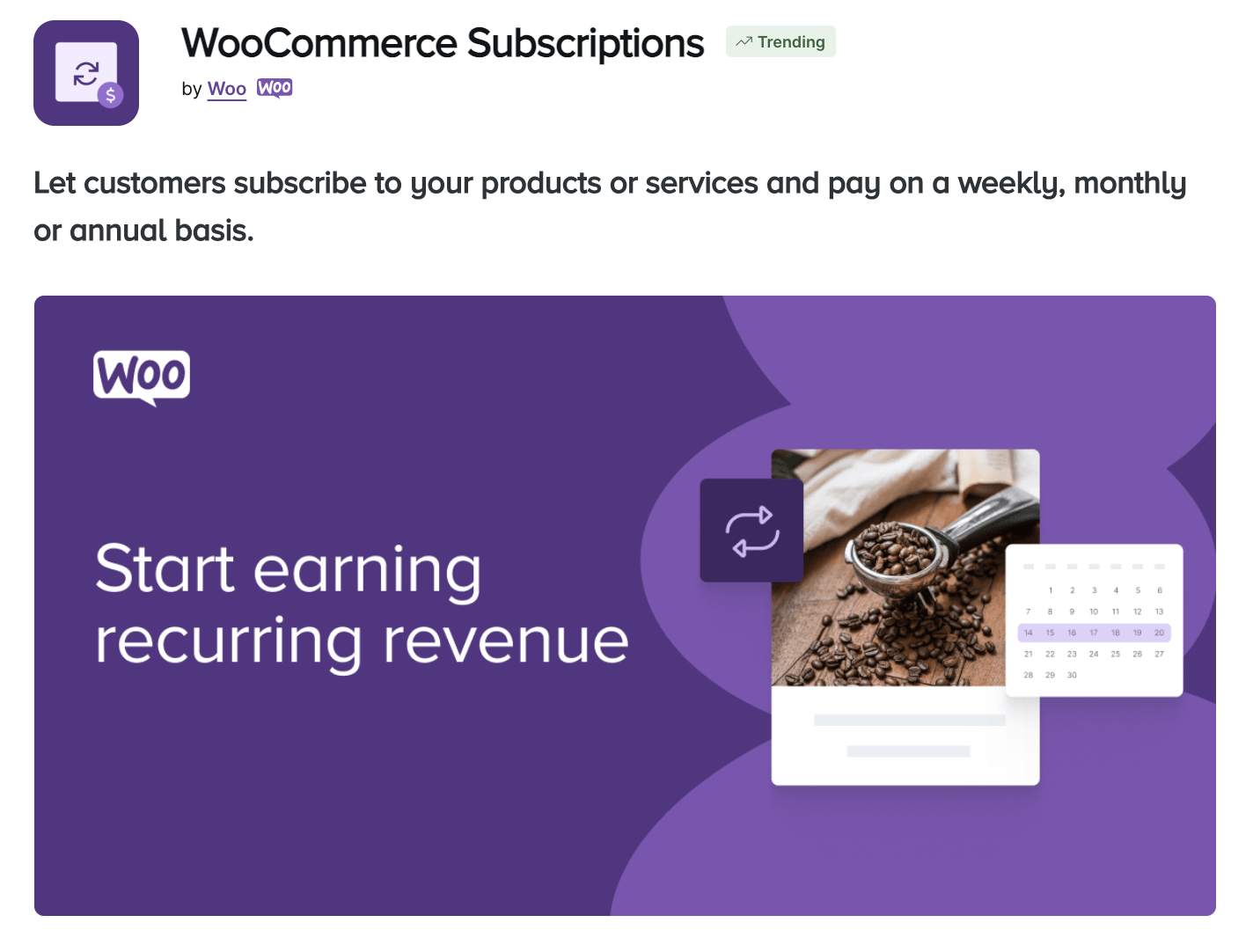
1. WooCommerce Subscriptions
Subscriptions are a powerful way to level up a store, both for customers and merchants. Shoppers can more easily get the products they love without having to remember to reorder, while stores can count on recurring revenue.
There are lots of different ways to set up subscriptions, too. Create an entirely subscription-based business and sell monthly or quarterly boxes packed full of fun, themed products. Charge monthly for services like lawn care, graphic design, or consulting. Let regular customers get their favorite products delivered to them every week or month so they never run out.
The WooCommerce Subscriptions extension allows you to do all of this. It integrates with lots of popular payment gateways to simplify the process of collecting recurring payments. Plus, you can create a variety of billing schedules (weekly, monthly, yearly, etc.), automatically retry failed payments, allow customers to upgrade or downgrade their plans, send out renewal reminder emails, and more.

L’affinage offers a great example of this tool in action. In addition to their one-off products, they sell cheese subscriptions. Each month, customers get to wake up to a box full of five hand-selected cheeses sitting on their front porch. What could be better than that? They can even select a delivery date at checkout to ensure it works with their schedule.

2. WooCommerce Memberships
Want to restrict content to certain users? Run an online magazine or newspaper? Offer exclusive, members-only discounts or shipping rates? Then the WooCommerce Memberships extension is for you.
With this tool, you can create as simple or as complex a membership program as you’d like. All you need to do is create a membership plan, then assign products, posts, pages, or other types of content to that plan. This allows you to restrict access to content and discounts based on each individual membership plan.
This extension also pairs perfectly with WooCommerce Subscriptions so that you can choose between one-off membership fees and recurring plans.

PHLearn is a great example of this. While they do offer a lot of quality, free content, they have two membership plans: Monthly and Annual. These plans provide members with access to their entire library of software tutorials, templates, and more.
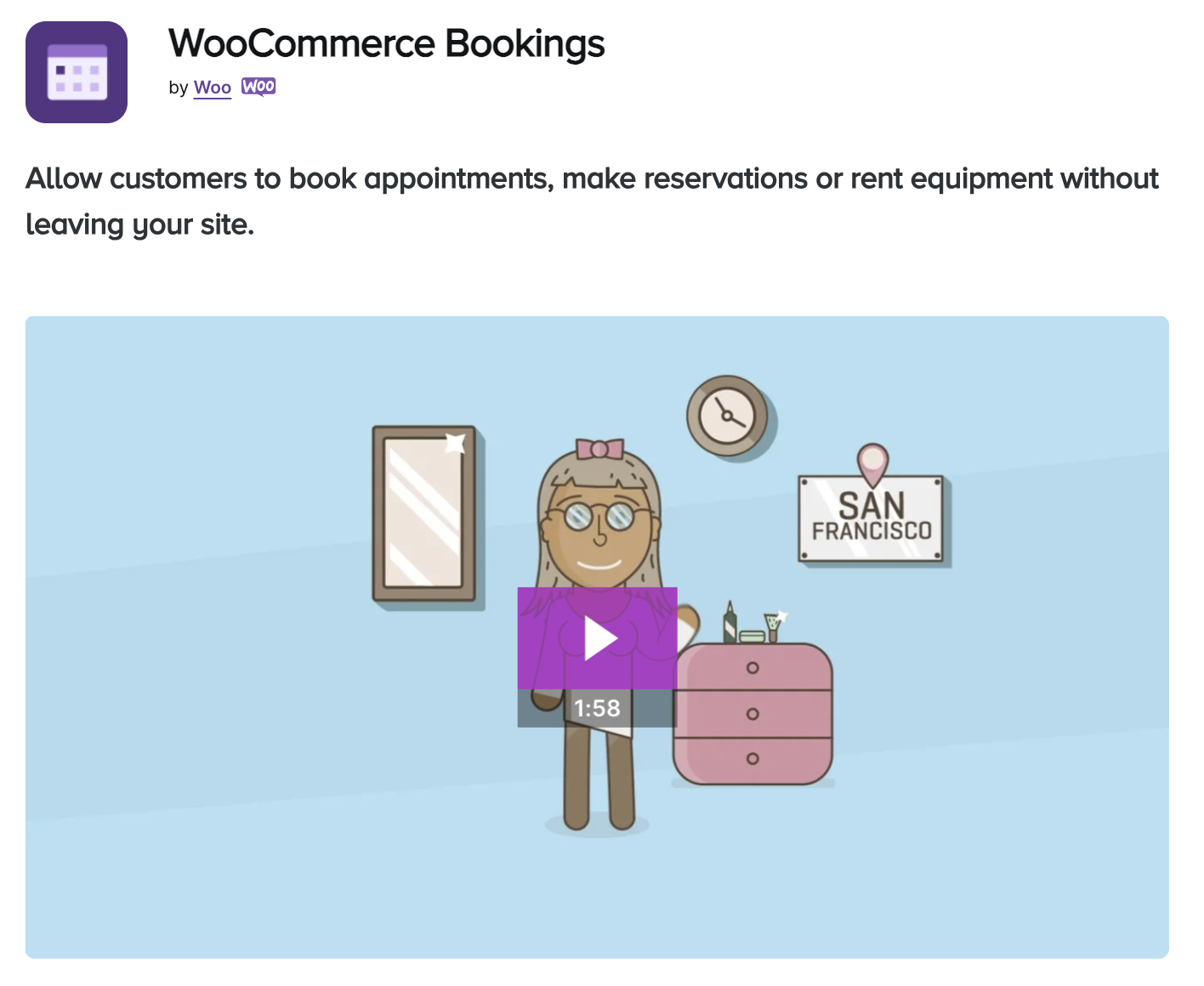
3. WooCommerce Bookings
The WooCommerce Bookings extension is a great solution for booking appointments, meetings, classes, rentals, and more. Start by setting availability — you can set certain hours, reserve time slots as “un-bookable”, and even create buffers between each slot.
Then, customers can choose from fixed time slots (perfect for classes) or select a range of times, just like booking a hotel.
There are tons of options here. You can choose a maximum number of participants, offer special pricing for groups or specific dates, send reminder emails, and even require confirmation from customers.

Phi Phi Pirate Boat, for example, uses this extension for their Thailand boat cruise. Patrons can choose a date on the calendar, select the number of tickets they want, then proceed through the checkout process.

4. Min/Max Quantities
This extension is simple, but incredibly useful in specific situations. With this tool, you can set minimum and maximum quantities required for purchase — on a per-product, per-variation, per-category, or per-order basis. You can also require items to be purchased in a specific multiple (e.g. a multiple of four).
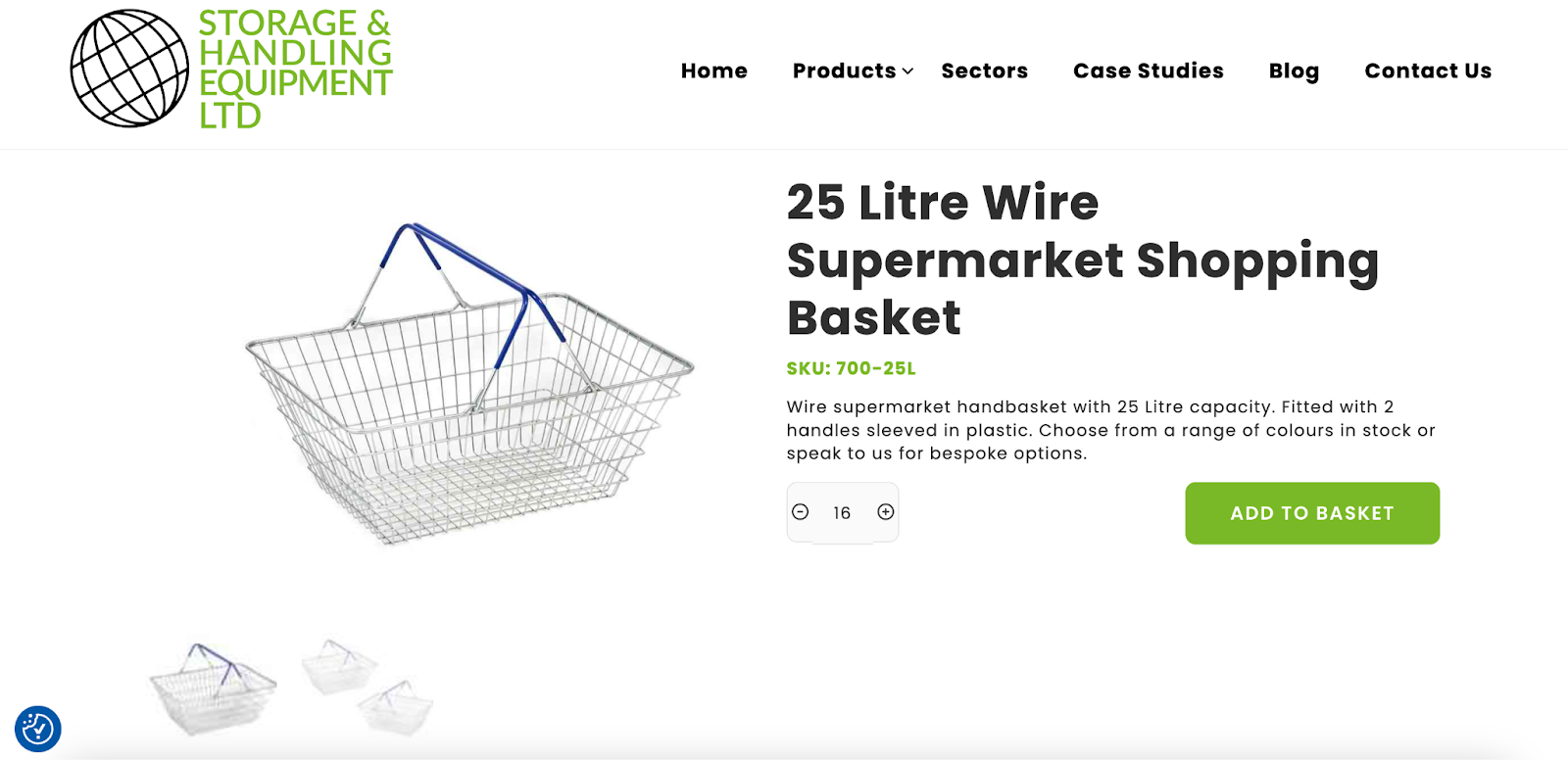
Storage and Handling Equipment LTD does this with their shopping baskets. The quantity selector starts at “16”, preventing customers from ordering less than that number.

5. Composite Products for WooCommerce
This extension allows you to include product kit builders and configurators on an online store. With nearly endless configurations, merchants can allow customers to order something truly unique that still fits within your fulfillment capabilities.
This is best explained visually, so let’s take a look at how Camss Shelters uses this extension. They sell shelters online to both commercial and military entities, and allow their customers to build the exact type of shelter they want. For example, when a potential buyer lands on the product page for CAMSS 12EX20-CT, they’ll see four categories of customizations: exterior, interior, accessories, and packaging.
With the Exterior category expanded, they can select a color and choose whether or not they want end windows.

Navigating through each category will present the customer with even more options. Some, like the type of lighting, have an “info” icon that opens more information when clicked.
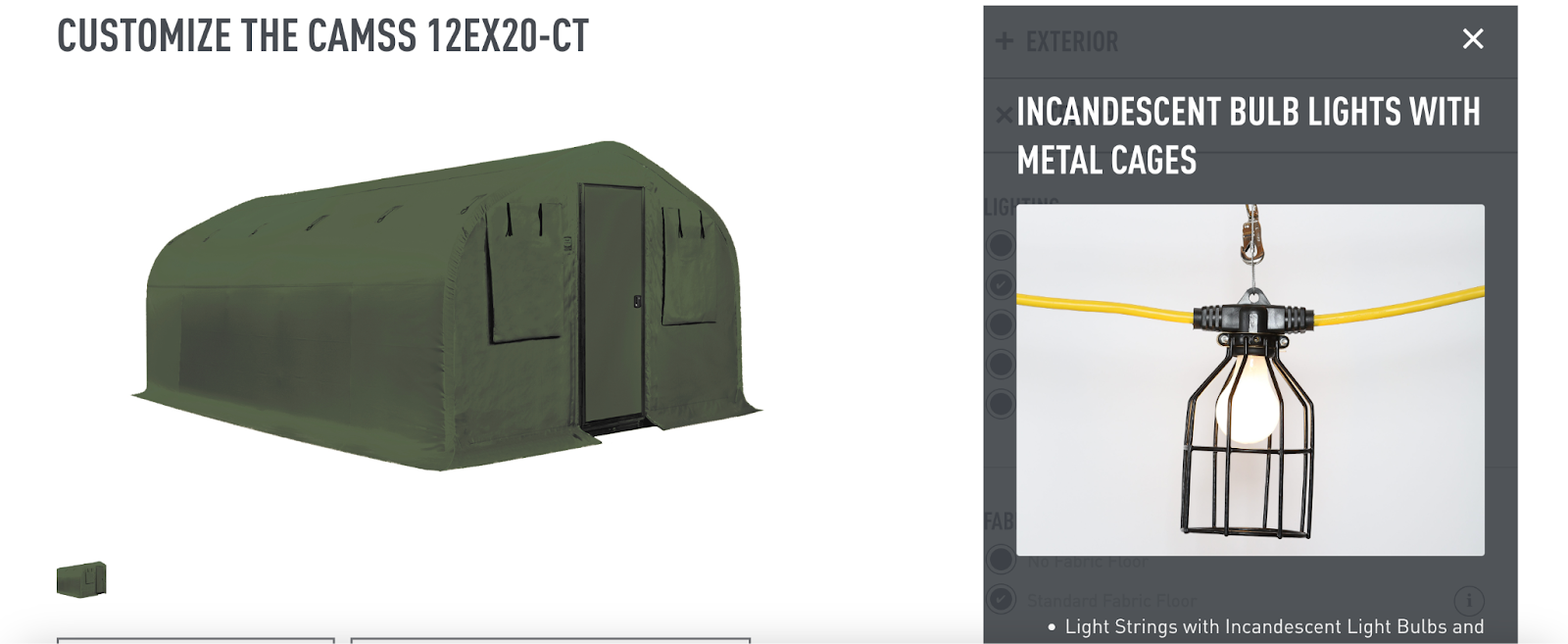
Once the customer selects all of their options, they’re prompted to request a quote. You can choose this sort of setup (see the next extension for information on how to do this) or you can simply send the customer to checkout.
As you can see, this type of product builder could be extremely helpful in a variety of situations, from highly-bespoke items to boxes of donuts and subscription boxes.

6. B2B for WooCommerce
This powerful extension is perfect for any B2B company, providing all the tools you need to create a highly-effective sales experience. You’ll gain access to a wealth of features, including:
- Custom user roles
- B2B user registration forms
- The ability to hide products, categories, prices, and “add to cart” buttons based on user role
- The option to replace the “add to cart” button with “get a quote”
- A quote submission form with customizable fields, the ability to convert a quote to order, and more
- Role-based pricing and quantity-based pricing
- The ability to restrict payment methods and shipping methods by user role
As you can see, you can combine any of these features to build your B2B store, or even sell alongside your B2C division.

Porta Pro Chem, a portable restroom supplier that ships nationwide, uses this extension in a variety of ways. Most of their product pricing is only visible to those with a specific user role, and their “add to cart” button on those items is replaced with a “get a quote” button.
Customers can add any number of items to the quote form before submitting. Then the company can send a quote and proceed with invoicing and payment. B2B customers also have access to special shipping rates.
Plugins for content and SEO
Content is at the heart of marketing, no matter the type of store. Quality content is useful for social media marketing, search engine optimization (SEO), digital advertising, and email marketing.
SEO, which relies heavily on content itself, is all about reaching those who are searching for what a store has to offer. Let’s take a look at some extensions that help with content marketing and SEO.

7. Jetpack AI Assistant
This tool is like having a content assistant in your pocket, available 24/7. With the power of AI, you can speed up the process of content creation through a process that’s as simple as talking to a colleague.
There are a ton of different ways you can use this tool. Ask it to create a table based on a data set. Request suggestions for improving a blog post based on tone, clarity, and grammar. Have it summarize text or create titles. And you can do all of this directly in the block editor!

8. Jetpack Boost
Customers won’t stick around to read content or purchase products if a site loads too slowly. And site speed is an incredibly important part of search engine optimization.
Jetpack Boost tackles a variety of speed issues — especially those associated with Core Web Vitals — all in one fell swoop. By simply toggling features on and off, you can:
- Turn on caching and customize caching rules
- Generate critical CSS
- Defer JavaScript
- Automatically resize your images to an appropriate size and convert them to WebP
- Enable a CDN
- Concatenate JavaScript and CSS
You’ll also benefit from speed testing tools and an image analyzer.
9. Yoast SEO for WooCommerce
While the free version of Yoast is chock full of features, the Yoast SEO for WooCommerce extension takes things one step further for online stores. You can create eye-catching social media cards for your products that show information like inventory levels and pricing. Gain access to product-specific SEO tools that help you optimize them at the highest level. Add global identifiers for variable products so Google can better understand their setup.
Plus, you’ll get to enroll in the Yoast Academy, which is packed with webinars, courses, and 24/7 support to help you with search engine optimization.

10. Google Product Feed for WooCommerce
Thanks to Google’s product listings feature, customers now start their shopping experience before they even click through to a store.
Stores need their products to show up — and stand out — to capture the attention of the millions of shoppers searching on Google. And whether you run a store yourself or manage an agency with ecommerce clients, you know the painful experience of working with Google Merchant Center to populate all of the product data.
Google Product Feed for WooCommerce solves this by automatically importing all of your product info into Google Merchant Center and allowing for deep customizations for the best quality product listings possible. You can even add data not typically stored in WooCommerce through additional data entry fields. This includes support for things like local pickup options, rich data (consumer notices, tax classes, etc), and other advanced fields (expiration dates, measurements, and more).
Plugins for customer experience
Your goal should be to make the customer experience as seamless as possible. When someone comes to your site, they should be able to quickly find what they’re looking for and fill their cart with the types of products they need. Let’s look at some extensions that focus on the customer experience.

11. Jetpack Search
Don’t let site visitors wander around your online store, unable to find what they’re looking for! Jetpack Search steps in to solve this problem with a super fast, always up-to-date, customizable search experience.
When someone searches on a site, they’re met with a branded screen of results. They can order those based on relevance or date and use filters to narrow them down. The keyword is also highlighted in each result so they can quickly find what they’re looking for.
There are also great features like spelling correction and the ability to customize both search results and the way they appear on your site.

Stone Source Pros uses Jetpack Search on their wholesale, B2B online store. If someone searches for “brown stone”, for example, they’ll see each of the options listed with photos and the search term highlighted. They can filter based on post type (product, page, post, etc.), product category, and date posted. This helps them narrow things down to the exact item they want to purchase.

12. Product Recommendations for WooCommerce
Product recommendations help facilitate upsells and cross-sells, ultimately increasing average order value. While WooCommerce does offer basic features for recommendations, this extension helps you harness their full power.

With this tool, you can build intelligence engines that automatically recommend products based on a wide variety of factors. Create “frequently bought together” pairings that highlight complementary items. Boost results based on popularity, rating, creation date, conversion rate, and more. Recommend items based on what individual shoppers recently viewed or purchased. Highlight items that are on sale or seasonal.
And the best part is that the recommendation engine learns from patterns and seasonal trends, so it’s always adapting to what will lead to the most conversions.

13. Product Bundles for WooCommerce
Product bundles are another great way to sell more products and better meet the needs of customers. Create unique bundles full of items that go together, then offer them at a discount to encourage larger purchases. You can also let shoppers create their own personalized, pick-and-mix boxes.

Suzi Wong Creations uses this tool for their boxing clothing bundles. For example, in the “LGND Conquest Tracksuit, Tee & Accessories Bundle”, shoppers can personally select the color and size for the tracksuit and tee, along with the size of socks they want. They can also choose to add customization if they like.

14. Product Add-Ons for WooCommerce
Thanks to this extension, customers can select add-ons with the click of a button. Let them easily and quickly add personalization, choose gift wrapping, upgrade to premium materials, and anything else you can imagine.
Setup is simple. Just choose the type of add-on you want — text box, dropdown, text area, checkboxes, price input, or image — and choose whether or not you want to charge a fee. And you can do this on a per-product or global basis.

The Antique Jewellery Company, for example, uses this extension so that customers can upgrade to a luxury box for an additional fee.
Inventory and shipping
If you sell physical products, inventory management and shipping are two of the most important tasks on your plate. Let’s look at some extensions that help you tackle these effectively and efficiently.

15. WooCommerce Shipping
Built for WooCommerce, by WooCommerce, this is the simplest way to jumpstart ecommerce shipping. It’s built directly into the WordPress dashboard, so merchants can easily manage and fulfill orders in one place.
Save money with discounted rates from USPS and DHL, then print labels from a home or office and skip the post office line.

16. ShipStation for WooCommerce
This extension connects WooCommerce stores to the popular ecommerce fulfillment service, ShipStation. Using this tool, merchants can manage and fulfill shipments from a variety of selling platforms from one central location.
Plus, it includes shipping label discounts from popular carriers, custom email and SMS updates, and more.
17. Conditional Shipping and Payments
This extension lets you restrict shipping methods based on a variety of factors from product category and shipping class to package weight, customer role, and cart total.
There are a lot of different ways you can use this functionality. Give free shipping to members, subscribers, or wholesale customers. Set special shipping rates for particularly heavy or tricky-to-ship items. Hide a shipping method for products that certain carriers restrict.
You can also use this extension to set up similar conditions for payment methods.

18. Table Rate Shipping for WooCommerce
The Table Rate Shipping extension enables you to set extremely granular shipping rules based on all sorts of conditions. You can even create multiple tables of shipping rates for each shipping zone.
Calculate rates based on factors like weight and number of items, then apply those per order, per item, per line, or per class. Or use any combination of these to create something truly custom.
Marketing and analytics
Marketing and analytics are two absolutely critical components for growth. There are a lot of different ways to get products in front of the right audience, and analytics will help you make the right decisions. Let’s explore some extensions that will help.

19. AutomateWoo
AutomateWoo saves you time and effort by automating many essential marketing tasks. It enables you to set three key components:
- Triggers, which signal that an action should take place (e.g. an order is made)
- Rules, which set more specific conditions under which the action should occur (e.g. an order total is higher than $100)
- Actions, which occur based on the triggers and rules you set (e.g. sending an email)
You can use the workflows that you create in any number of strategic ways. For example, set up abandoned cart emails to capture would-be customers. Send follow-up messages asking for reviews after a package arrives on a customer’s doorstep. Or send a special birthday coupon to loyal shoppers.
And all of this runs in the background, while merchants handle everything else!

20. Jetpack Stats
This analytics tool provides easy-to-understand data at a glance — right from the WordPress dashboard. After installing the plugin, you immediately gain access to real-time information, like visitors, likes, and comments.
You’ll also get detailed insights into where site traffic originates from, the location of your most frequent visitors, top-performing posts, and more. This helps you better focus on marketing strategies that really work.

21. Google Analytics for WooCommerce
Google Analytics is the industry standard when it comes to website analytics. It provides incredibly in-depth insights into everything that happens on a store, from the channels that drive site traffic to which products shoppers are most interested in.
The free Google Analytics for WooCommerce extension simplifies the process of integrating this tool with an online shop. If you want even more advanced data, try the WooCommerce Google Analytics Pro extension.

22. Google for WooCommerce
The Google for WooCommerce extension (previously Google Listings & Ads) automatically syncs your products across Google’s network. This ensures that prices, discounts, inventory, photos, and more will always be accurate on Google Shopping, Search, YouTube, Gmail, Maps, Display, and Discover. This greatly simplifies the work on your end to set up and manage advertising.
You can even manage all of your ads directly from the WooCommerce dashboard and mobile app, streamlining the entire process. And take advantage of additional features, like in-depth analytics and AI ad optimization.

23. Mailchimp for WooCommerce
This extension connects your store to Mailchimp, allowing you to take full advantage of their suite of marketing tools. With Mailchimp, you can create hyper-personalized marketing messages, timed to perfectly meet customers where they are in their journey.
Create welcome emails, newsletters, and more, thanks to a drag-and-drop email builder. Automatically recommend products and other types of content to subscribers. Build abandoned cart emails to increase conversions, and closely monitor all of your campaigns so that you can know what’s working and make improvements.
Payment gateways
Payment gateways are absolutely critical for online stores. They enable merchants to securely collect payments from customers then transfer the money earned to a selected bank account. Let’s take a look at just a few of the payment gateway extensions available with WooCommerce.
Want to compare the most popular payment gateways available? Read How to Choose a Payment Gateway from WooCommerce.

24. WooPayments
WooPayments is the perfect way to hit the ground running, but with powerful features that enhance the customer experience. Created and maintained by the WooCommerce team, it enables stores to accept everything from credit and debit cards to digital wallets and Tap to Pay on iPhone and Android. Merchants can even connect it to card readers to collect payments at a physical location or on the go.
WooPayments users can accept more than 135 currencies, allow shoppers to save credit card information to their accounts, offer “buy now, pay later” options, accept subscriptions, and more. Most notably, you can manage all of this directly from the WooCommerce dashboard. It’s a powerful tool that helps stores make more sales and streamlines efficiency at the same time.

25. Stripe for WooCommerce
Stripe is a trusted name in the payments industry, so it’s no surprise that this extension includes secure, top-notch tools for WooCommerce stores. You can accept traditional credit and debit cards, along with a variety of local payment methods. Easily set up a one-click checkout experience with their Link feature, and integrate with digital wallets like Apple Pay.
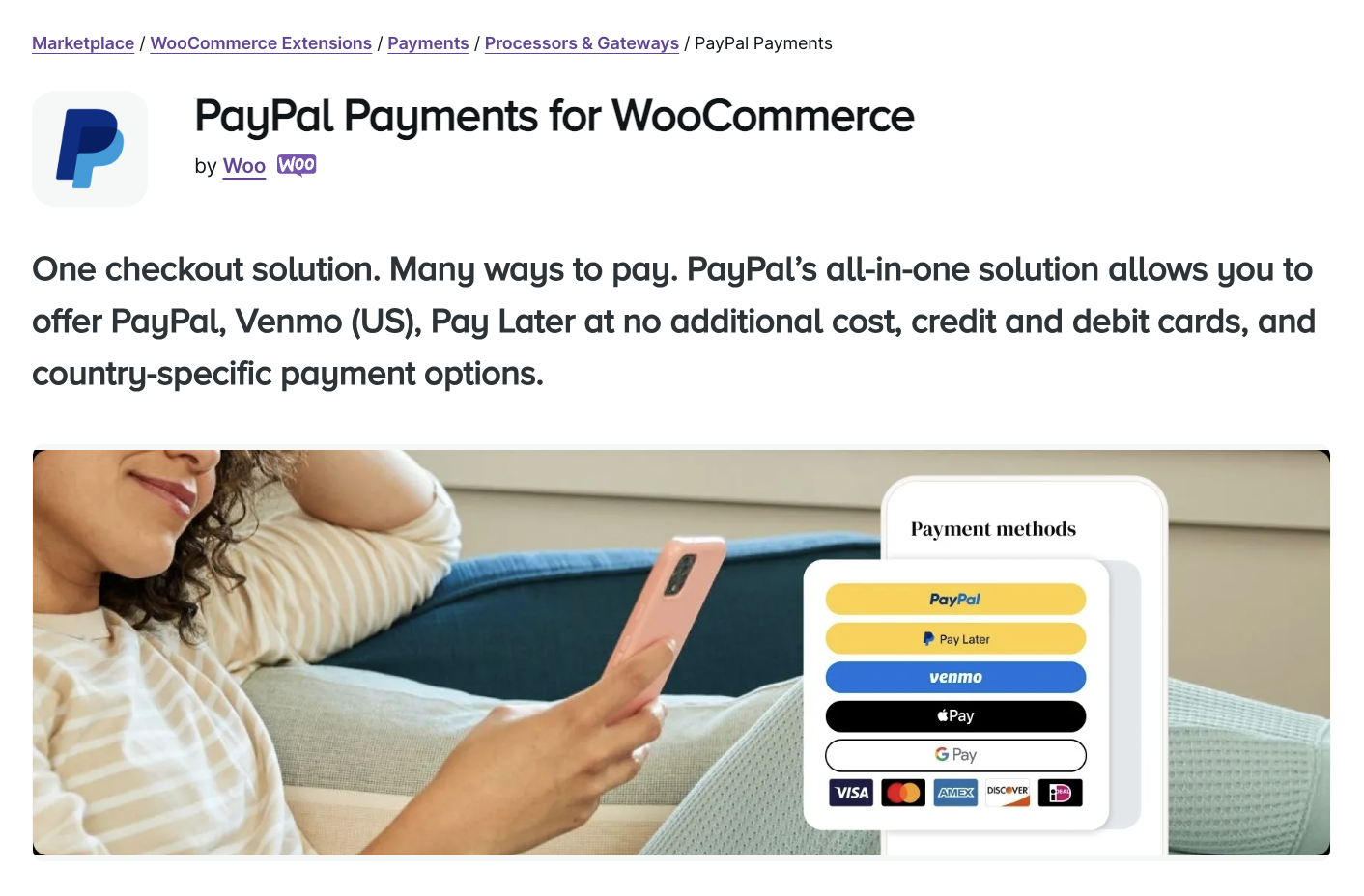
26. PayPal Payments for WooCommerce
This extension enables you to add all of PayPal’s tools directly to a WooCommerce store. Customers can pay with credit and debit cards, through their PayPal or Venmo account, or with Apple Pay and Google Pay. You can even enable PayPal’s Pay Later option to make large purchases easier for customers.

27. Square for WooCommerce
If merchants are already using a Square reader for a retail location or pop-up events, then the Square for WooCommerce extension is a great option. Merchants can synchronize inventory and payments across selling platforms while benefiting from flat-rate pricing and fast deposits.

28. Authorize.net, a Visa solution for WooCommerce
Authorize.net offers advanced WooCommerce integrations that are a great option for businesses already generating a large volume of orders. It includes advanced payment security tools, the ability to accept eChecks, payment authorization, and saved methods for customers. Authorize.net also offers a very expansive API that developers can use for customization.

29. Amazon Pay for WooCommerce
There are millions of active Amazon users around the world, and enabling Amazon Pay gives them the ability to check out using an account that they’re already familiar with. This not only leads them to trust the checkout process more, it also means that they don’t have to dig out their credit card to make a purchase.
This extension allows you to easily enable Amazon Pay, accept multiple currencies, and integrate with WooCommerce Subscriptions for recurring payments.
How agencies and their clients are becoming stronger together
This list encompasses just a fraction of the countless plugins and extensions that make anything possible with WordPress and WooCommerce.
With the Automattic for Agencies program, firms get access to the world’s top tools and benefit from sharing them with clients who expect nothing but the best. This even includes industry-leading hosting from Pressable. Agencies can be more resilient and their clients can reach their goals faster — everyone wins!
Learn more about Automattic for Agencies.
How agencies and their clients are becoming stronger together
This list encompasses just a fraction of the countless plugins and extensions that make anything possible with WordPress and WooCommerce.
With the Automattic for Agencies program, firms get reseller access to the world’s top tools and benefit from sharing them with clients who expect nothing but the best. Agencies can earn a commission when migrating clients to top-tier hosting from Pressable or WordPress.com and when boosting their client’s security with Jetpack. They can even enjoy recurring revenue sharing when they refer clients to WooPayments.
Plus, agencies will benefit from centralized site management, premium Automattic support, and an intuitive, customizable billing structure.
Agencies can be more resilient and their clients can reach their goals faster — everyone wins!
Learn more about Automattic for Agencies.
Frequently asked questions
Still wondering about the best WooCommerce plugins and extensions? Let’s explore some common questions and answers.
How can I bill my clients for a WooCommerce plugin?
When you join the Automattic for Agencies program, you get access to a centralized billing system that allows you to manage all of your client sites and licenses from a single location. This can dramatically improve the efficiency of billing for extensions.
Plus, you’ll benefit when purchasing extensions in bulk. You can get up to 80% off of WooCommerce extensions when purchasing in large volumes, and even earn up to 50% of WooPayments referrals. So if you often install the same powerful tools on client sites, this is a great opportunity.
And with the build-a-cart referral program, you can send a single, comprehensive invoice to each of your clients. All you have to do is select the products you want to bill for and add them to your cart, then send the invoice. This allows you to customize billing for each individual site, while improving efficiency and simplifying the process for your clients.
How do I access support / documentation while developing with WooCommerce plugins?
The WooCommerce development documentation library is chock full of information and tutorials about working with WooCommerce extensions. If you’re an Automattic for Agencies member, you can access priority, dedicated support through your dashboard.
How can I best manage plugins across client sites?
When managing plugins and extensions across multiple client sites, the best solution is a centralized dashboard, like the one included in the Automattic for Agencies program. With this tool, you can manage updates, backups, billing, and more for all of the sites that you manage in one location.
How can agencies ensure compatibility and security when using third-party WooCommerce extensions?
The first step in ensuring compatibility and security is to only choose high-quality plugins from reputable sources, such as WordPress.org or the WooCommerce extension library. Avoid websites selling premium tools for free or seriously discounted prices — these are often infected with malware or, at the very least, cannot be updated in the future.
It’s also highly recommended to test new plugins and extensions on a staging site before pushing updates live. This gives you the opportunity to check and solve any potential issues.
Finally, always make sure that you have backups that you can restore in case anything goes wrong.
How can agencies leverage WooCommerce to create custom ecommerce solutions for clients?
WooCommerce is an incredibly powerful, open-source ecommerce tool. As such, agencies and developers can create truly custom solutions for clients of any size. With full access to the source code, you can make any changes you’d like while still working within a system that’s easy for your clients to use and update. You can also take advantage of hundreds of available plugins and extensions that provide additional features and capabilities.
How can agencies stay updated with the latest WooCommerce developments and features?
A great place to start is by joining the WooCommerce email list. You’ll get consistent emails in your inbox updating you on all the latest with Woo. You can also stay abreast of updates, tips, and information on the following channels:
- X (formerly Twitter)
- The WooCommerce Community Slack channel
- The Woo Community Facebook group
- WooCommerce meetups
- WordCamp conferences
Finally, if you want to test upcoming features, consider becoming a WooCommerce beta tester.
What are best practices for version control and deployment in WooCommerce development?
Here are a few best practices:
- Track only relevant files and ignore (.gitignore) the rest.
- If you’re tracking the entire site (including WP Core updates), make sure to ignore files that your specific site is dependent on (ex. wp-config.php, .htaccess, etc.)
- Ignore non-code files (everything in the uploads directory).
- Use branches when developing custom features to keep your production repository intact.
- Always develop in a dev environment, test on a staging environment, and do nothing other than deployment on your production site.
Where can I learn more about Automattic for Agencies?
You can learn more about Automattic for Agencies on their website. You can see a detailed look at partner earnings and referral opportunities here. You can also apply to join the program here.

 Automattic