

Clients hire agencies to build attractive, high-performing websites, but they also expect them to be secure and stable. Security goes beyond protection from hacks and data breaches. It also ensures a site remains resilient when updates or client errors cause disruptions. After all, frequent downtime or security failures damage your agency’s reputation, hurts the client’s business, and puts that relationship at risk.
Offering ongoing maintenance and security services creates an opportunity and a challenge for agencies. When managed well, security services generate recurring revenue, strengthen client relationships, and set agencies apart from competitors. If handled poorly, they become a time-consuming burden that weakens credibility.
This guide outlines the essential steps to walk that tightrope and secure client websites effectively. It covers trusted tools and best practices that simplify security management, increase automation, and boost profits.
Automattic for Agencies provides access to a powerful security and management toolkit. With Automattic for Agencies, you get discounts on premium security tools and elite, managed WordPress hosting, along with exclusive access to centralized management tools and support. This allows you to deliver enterprise-level security while automating critical maintenance tasks. See how other agencies are growing faster with A4A, or sign up today.
Why Client Website Security Matters
Website security keeps clients happy, protects their business (and yours), and helps agencies grow. Agencies that prioritize security spend less on fixes, build trust with clients, and create steady income through ongoing services. Let’s look at some of the reasons WordPress website security should matter to clients in more detail:
It Helps Retain Clients and Increase Referrals
Keeping client websites secure builds trust and ensures their businesses run smoothly. Agencies that prevent cyberattacks, downtime, and update-based mistakes show their value over time. When clients feel confident in their agency’s ability to keep their site safe, they stick around, invest in more services, and even recommend the agency to others.
It Lowers Maintenance Costs in Service Agreements
Unsecured websites lead to unnecessary expenses. Malware infections, brute force attacks, and failed updates turn into costly emergency fixes. Strong security measures stop these issues before they start, cutting down on support requests and reducing time spent on troubleshooting. When security is covered under a Service Level Agreement (SLA), fewer problems mean lower costs and better profit margins.
According to IBM, the global average cost of a data breach reached $4.88 million in 2024, a ten percent increase from the previous year, but even small incidents can lead to significant expenses.
It Sets Your Agency Apart With Security Expertise
Clients want fast, reliable websites, but many agencies overlook security as a key selling point. Making security a priority—and marketing your agency as a leader in this space—sets your agency apart in a crowded market. Businesses handling ecommerce, sensitive data, or strict compliance standards look for agencies that take security seriously.
If yours highlights security expertise, you’ll attract high-value clients who see long-term protection as a smart investment.
It Creates a Recurring Revenue Stream With Security Services
Instead of offering security as a one-time add-on, you can package it into monthly or annual plans. Manage security services with automated backups, malware scans, and uptime monitoring to turn short-term projects into long-term income.
It Protects Clients From Breaking Their Own Site
Clients, not hackers, often pose the biggest security risk. Inexperienced users install unreliable plugins, change critical settings, or delete important files—sometimes without realizing the damage they’ve done.
Setting up access controls, role-based permissions, and automated recovery tools helps prevent these mistakes and keeps websites running smoothly. Fewer issues mean less time spent on support and more time focused on growing your agency.
Agencies that handle updates and restrict client access prevent unnecessary security gaps and ensure sites remain stable and secure.
Foundational WordPress Site Security for Agencies
Securing a client’s website starts with solid fundamentals. Using trusted best practices and reliable hosting reduces risks, automates maintenance, and keeps sites running smoothly.
Here are the key things to do:
Choose a Secure Hosting Partner
The right hosting provider forms the foundation of strong WordPress security. A high-security host with built-in protections, uptime guarantees, and responsive support reduces risks and minimizes maintenance work.
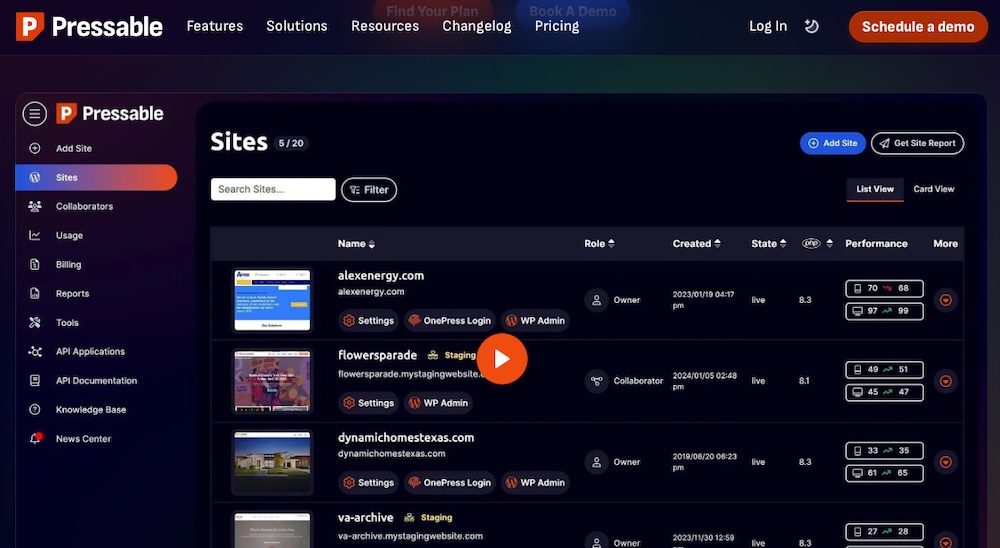
Pressable delivers enterprise-grade security features, including DDoS protection, hack recovery assistance, a powerful web application firewall, a plugin update scheduler, a defensive mode for when a website is under attack, and more. They stand by a 100% uptime guarantee, ensuring clients experience minimal disruptions.
Pressable also offers an optional, complimentary Jetpack Security package with every plan. This adds real-time backups, anti-spam features, automated malware and vulnerability scanning, and more.
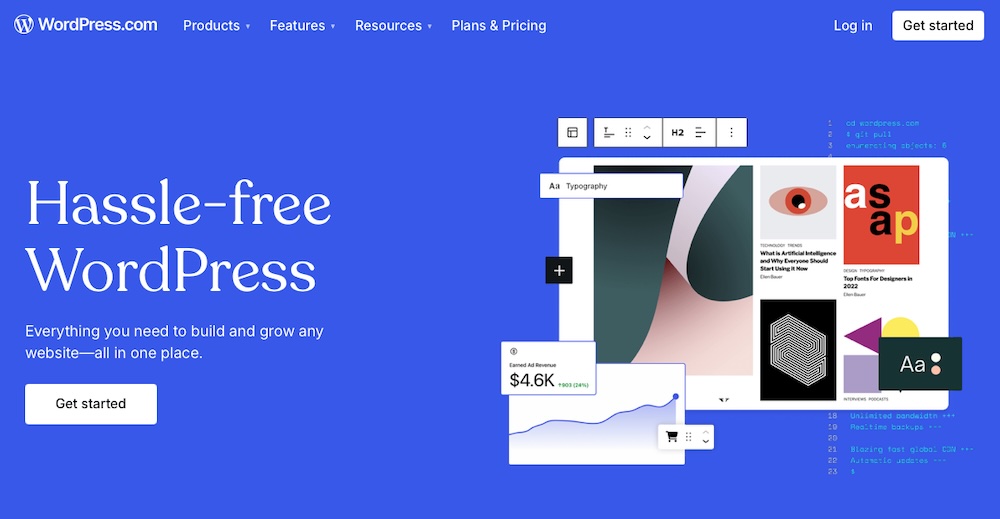
WordPress.com offers managed security with real-time threat detection and a global Content Delivery Network (CDN) to enhance site speed and resilience against attacks. Their services include automatic updates, free SSL certificates, firewall protection, and brute force attack prevention.
Both Pressable and WordPress.com provide server-side firewalls, intrusion prevention systems, and automated updates, reducing the need for manual security management. Integrating these platforms into your hosting strategy means mitigating security risks and decreasing maintenance demands, while offering clients a fully-managed solution.
Update WordPress Core, Plugin, and Themes
Outdated WordPress installations, themes, and plugins create the biggest security risks. A structured update workflow helps agencies keep client sites secure and running as expected.
Thankfully, you can implement this sort of workflow within your agency through automated tools. Begin by having your team test updates in a staging environment before pushing them live to catch potential issues. Automate core updates using WordPress auto-updates or a managed host like Pressable or WordPress.com.
The Automattic for Agencies program simplifies this entire process by including update tools and site management features within a single dashboard. Agencies can then manage multiple sites efficiently without constant manual oversight.
Install SSL Certificates
SSL encryption protects logins, customer data, and payment details from interception and cyberattacks. Websites without SSL remain vulnerable to security breaches and rank lower in Google search results.
Many hosting providers include free SSL certificates with their plans. Configuring automatic SSL renewals prevents lapses that could expose sensitive data, too.
Since many clients may not fully understand its importance, bundling SSL into hosting and maintenance plans ensures that every site stays protected without extra effort on their end.
Use SFTP Instead of FTP
Many hosting providers still offer standard FTP, but SFTP provides a more secure alternative by encrypting file transfers and blocking malicious actors from intercepting credentials or site files. Disabling FTP and enforcing SFTP-only connections further reduces security risks.
Limiting SFTP access to authorized team members and using key-based authentication instead of passwords adds another layer of protection. Switching to SFTP eliminates a major vulnerability, keeping client sites more secure.
Advanced Security Steps for Agencies
Strong security starts with the basics, but agencies need to go further to lock down defenses, control access, and prepare for potential threats. Taking proactive steps reduces risks and keeps websites stable and secure. Let’s take a look.
Access Management and Control
Agencies need to control access to sensitive areas of a website to prevent unauthorized changes and security threats. There are a few ways to do this.
Set Custom User Roles and Permissions
Not everyone needs full access to a WordPress site. WordPress includes built-in user roles—like Administrator, Editor, Author, Contributor, and Subscriber—but these can provide either too much or too little control. Agencies should go further by creating custom roles with specific permissions to balance usability with security.
For example, restricting clients to content-related tasks while blocking access to theme settings and plugin installations prevents someone with limited WordPress knowledge from breaking things.
Access control shouldn’t stop at WordPress. Agencies should also limit hosting account permissions to essential personnel only. Clients shouldn’t be able to modify security settings, change backups, or access server configurations. Keeping these critical functions locked down keeps a site stable and secure.
Enforce Two-Factor Authentication (2FA) and Strong Passwords
Weak passwords cause data breaches, so you should require strong authentication measures to reduce login-related risks. To do this, require complex, unique passwords and use a password manager to generate and store them securely. Then, enable Two-Factor Authentication (2FA) to add a security layer beyond passwords.
Limiting login attempts to prevent brute-force attacks from automated bots helps, too. Using Jetpack’s security features or other tools, agencies can enforce these settings across multiple client sites without extra manual work.
Automattic for Agencies provides discounted access to Jetpack Security, which includes brute force attack protection, downtime monitoring, and automated malware scanning, among other security features.
Limit Client Access to Prevent Unintentional Errors
Many security risks don’t come from hackers. Rather, they come from well-meaning clients making changes they shouldn’t. Limiting their access reduces the chances of costly mistakes. Agencies can protect sites by:
- Restricting dashboard access to only the features clients need
- Blocking file editing in WordPress to prevent unauthorized changes to code
- Locking certain design elements, like restricting block editor colors or template modifications, to maintain brand consistency and prevent clients from accidentally breaking things
Harden WordPress at the Application Level
To strengthen WordPress security, implement application-level hardening techniques that go beyond basic configurations. Here are a few quick changes your team can make across all sites:
Disable File Editing
Prevent unauthorized code changes by adding define(‘DISALLOW_FILE_EDIT’, true); to your wp-config.php file.
Obscure Login URLs
Enhance security by changing default login URLs (/wp-admin or /wp-login.php). Use WordPress security plugins or modify .htaccess rules to customize these paths, reducing exposure to unauthorized access attempts.
Change Database Prefixes
Replace the default wp_ database prefix with a unique identifier to minimize SQL injection risks. This adds a layer of protection against database attacks.
Implement Security Headers
Add headers like Content Security Policy (CSP) and HTTP Strict Transport Security (HSTS) to your site’s configuration. These headers help prevent cross-site scripting (XSS) and clickjacking attacks.
Adopting these measures across all sites ensures your clients experience enhanced security and stability.
Set Up Malware Scanning and an Incident Response Plan
Though security threats affect all websites, agencies can reduce risks with automated malware scanning and a solid recovery plan.
Jetpack Security provides daily malware and vulnerability scans, catching threats before they cause damage. Your team receives instant alerts when suspicious activity occurs and can often use one-click fixes to remove malicious code.
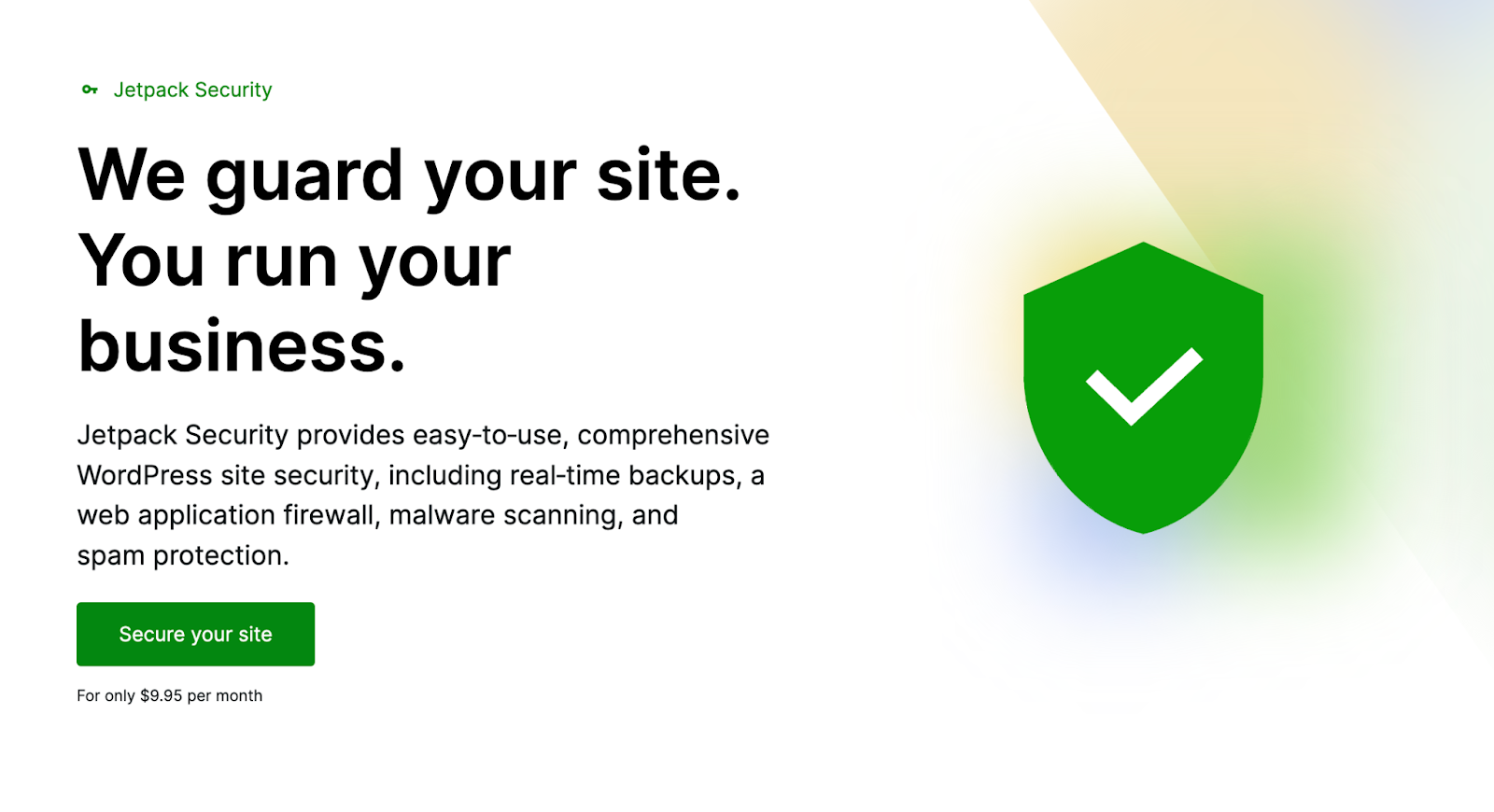
In addition, a strong response plan minimizes downtime should a security incident occur. Such a plan typically includes things like:
- Automated backups with a tool like Jetpack VaultPress Backup to enable quick restoration.
- Documentation outlining response steps, including key contacts and actions for restoring a compromised site.
- Regular recovery practice runs to ensure smooth site restoration without data loss.
Scalable, Repeatable Security Workflows for Agencies
Agencies managing multiple client websites need a standardized, repeatable security process to maintain consistency, reduce risks, and scale when needed. Relying on structured policies, version control, and automation helps you streamline security management across all client projects. Let’s look at each of these next.
Standardized Security Policies
A structured security framework keeps every client site in line with best practices, which reduces vulnerabilities and errors. To do this, create Standard Operating Procedures (SOPs) that set security requirements for hosting, authentication, and updates on every new site.
Within this, document onboarding steps to secure WordPress installations from the start. Your team should also establish maintenance checklists for audits, plugin reviews, and access control updates.
Finally, train teams on security policies to maintain consistency across projects. Clear procedures reduce human error and ensure uniform security standards across all client sites.
Use Version Control and Continuous Integration/Continuous Deployment (CI/CD) for Secure Updates
Security and development must align to prevent vulnerabilities from code changes. Thankfully, you can strengthen workflows by integrating Version Control Systems (VCS) and CI/CD pipelines to:
- Track and review code changes before deployment
- Automate security scans for themes, plugins, and custom code
- Test updates in staging before going live
- Roll back faulty updates quickly to fix security issues
Using Git-based version control like GitHub or Bitbucket with CI/CD tools like Buddy or DeployHQ reduces manual errors and keeps deployments secure and efficient every time.
Balance Performance and Security
Security and performance should work together, not compete. Agencies can achieve both by using secure hosting and a well-configured CDN. Pressable and WordPress.com provide firewall protection, automated updates, and server-side security enhancements, which reduce vulnerabilities without slowing down sites—a total win.
A CDN decreases page load times while absorbing DDoS attacks, keeping malicious traffic out and legitimate users in. Caching and database optimization further enhance performance without weakening security.
Improve Revenue and Client Satisfaction with Automattic for Agencies
Security does more than protect client websites. It also creates opportunities to grow revenue and strengthen client relationships. Agencies that offer security as part of their services can generate recurring income for a more stable overall business.
The Automattic for Agencies (A4A) program simplifies this process with financial incentives, management tools housed in a single dashboard, and expert support, making it easier to scale security services without dedicating tons of extra team hours.
You’ll also benefit from hosting perks, with discounts and referral commissions from Pressable and WordPress.com, both of which offer excellent features designed to secure client sites. And through July 31, 2025, your agency will even receive a $100 bonus for sites migrated to WordPress.com or Pressable.
Turn Security Into a Recurring Revenue Stream
With the A4A program, agencies can turn security services into a reliable revenue stream while keeping client sites protected. Jetpack Security offers real-time malware scanning, automated backups, and downtime monitoring—essential services that agencies can bundle into SLAs or sell separately. Instead of fixing security issues reactively, agencies can generate steady income with managed security packages.
Pressable and WordPress.com also provide built-in protections like automated patching, malware prevention, and uptime guarantees. Referring clients to these platforms earns agencies commissions, making secure hosting a profitable recommendation.
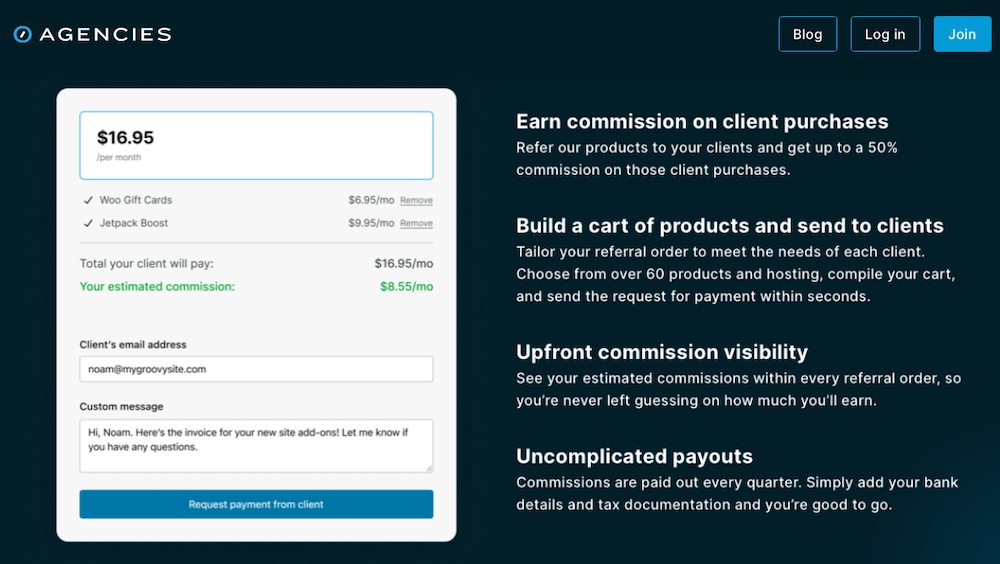
For clients who prefer to manage security themselves, the build-a-cart referral program offers another revenue stream. Even if a client opts out of an SLA, agencies can still earn ongoing commissions by guiding them to the right security tools.
Simplify Security Management With Centralized Tools
Juggling security tools across multiple client sites quickly becomes a hassle. The A4A program simplifies security management thanks to centralizing billing, licensing, and updates. Instead of tracking renewals and software versions manually, your team manages everything from a single dashboard so updates, security monitoring, and automated client billing happen in the same place.
Gain Access to Partner Support and Security Expertise
The A4A program offers financial incentives and expert support and training resources to strengthen security services overall. Dedicated partner support channels give direct access to specialists in this area, making it easier to troubleshoot issues and respond to incidents quickly. Training materials keep teams informed on emerging threats and best practices, too, so you continue delivering high-level security solutions.
There’s no doubt about it: strong security serves as a competitive advantage, a revenue driver, and a way to build lasting client relationships.
Client Education and Long-Term Trust
Clients rely on agencies to keep their websites secure, but many don’t realize the risks of poor security practices. Helping them understand why security matters builds trust and reinforces the value of ongoing protection. When clients see security as a critical investment rather than an optional add-on, they’re more likely to commit to long-term service agreements. Client education goes a long way here.
Many clients assume their website will run smoothly without ongoing maintenance but you can change this perception by offering workshops, guides, and training sessions that explain the risks of neglecting security. Walking clients through how malware infections happen, what a security breach looks like, and why regular updates matter makes security feel like a business priority, not just a nice-to-have feature.
Official documentation for the security tools you use—like Jetpack Security—offers clear, accessible security explanations that agencies can share with clients. Beyond pointing them to trusted resources, creating branded security guides specifically about what you offer is a good idea, too. These materials position your agency as a proactive partner.
Use Security Audits and Reports to Demonstrate Ongoing Value
Even when security measures work, clients may not see what’s happening behind the scenes. Routine security audits and reports give them visibility into the work being done and show them their investment is paying off.
Regular security reviews help agencies catch outdated software, access vulnerabilities, or unusual activity before they turn into major problems. Jetpack’s activity log makes it easy to track security events and present clear, data-backed insights to clients. Highlighting blocked threats, prevented downtime, or patched vulnerabilities reinforces the value of proactive security.
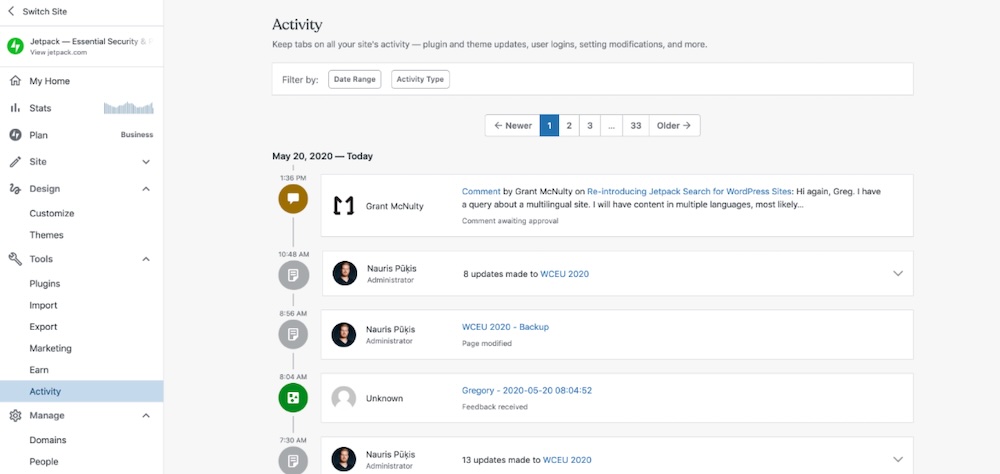
Security reports also open the door for upselling additional protection. If an audit reveals frequent failed login attempts or plugin vulnerabilities, agencies can recommend two-factor authentication or advanced monitoring tools. Instead of viewing security as a fixed service, clients begin to see it as a strategy that adapts to new risks.
Build a Stronger, More Secure Agency With Automattic for Agencies
Strong security builds client trust while reducing your maintenance workload and creating steady revenue. Agencies that take a proactive approach stand out and retain more clients. This means your agency can grow without adding complexity.
Automattic for Agencies makes it easier to scale security services with integrated services like Jetpack Security, Pressable, and a centralized management platform. Resell security solutions, refer clients to premium hosting, and simplify ongoing maintenance—all while increasing profitability.
Ready to secure more client sites and grow your agency? Explore Automattic for Agencies and see how it can help you offer best-in-class security without extra overhead.

 Automattic