

Sending a hosting or product referral through Automattic for Agencies should feel effortless for you and for your clients. We heard your feedback, and we got to work. We’ve made several improvements to the referral experience that make it easier for your agency to send customized referral invoices, and easier for your clients to purchase what you need them to.
Agencies can now add logos to referral emails, preview exactly what their client will see before hitting send, and choose how they share referrals, whether through email or a direct link. We’ve also streamlined checkout so clients can complete a purchase without needing to log in first. Here’s a closer look at what’s new.
Your brand, front and center
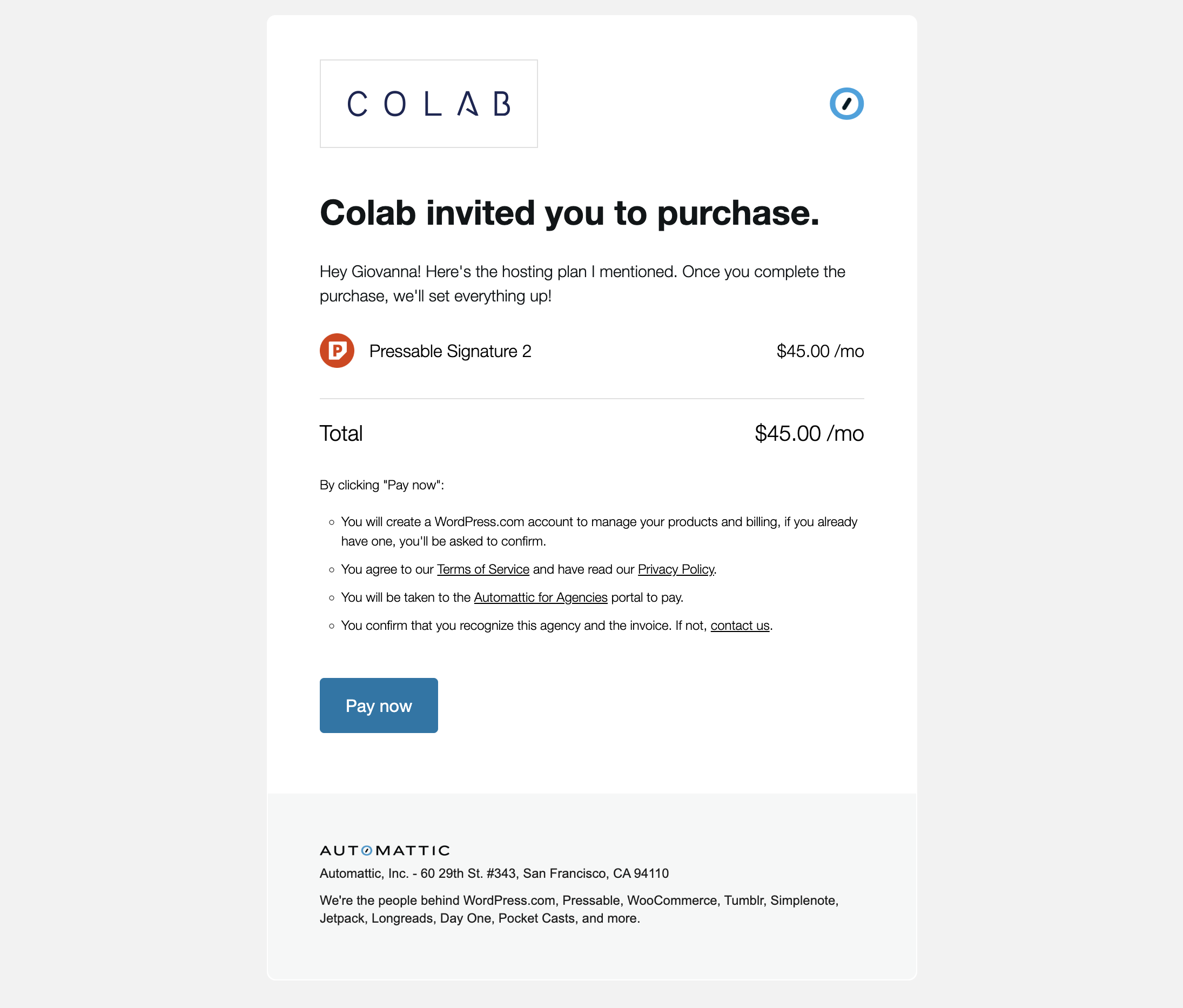
One of the most common pieces of feedback we heard from agencies was simple: clients weren’t sure who the referral email was coming from. When an email arrives from an unfamiliar name, it’s easy for it to look like spam, even when it’s a legitimate recommendation from an agency they trust.
In order to build more trust with clients, we’ve built co-branding into our referral system.
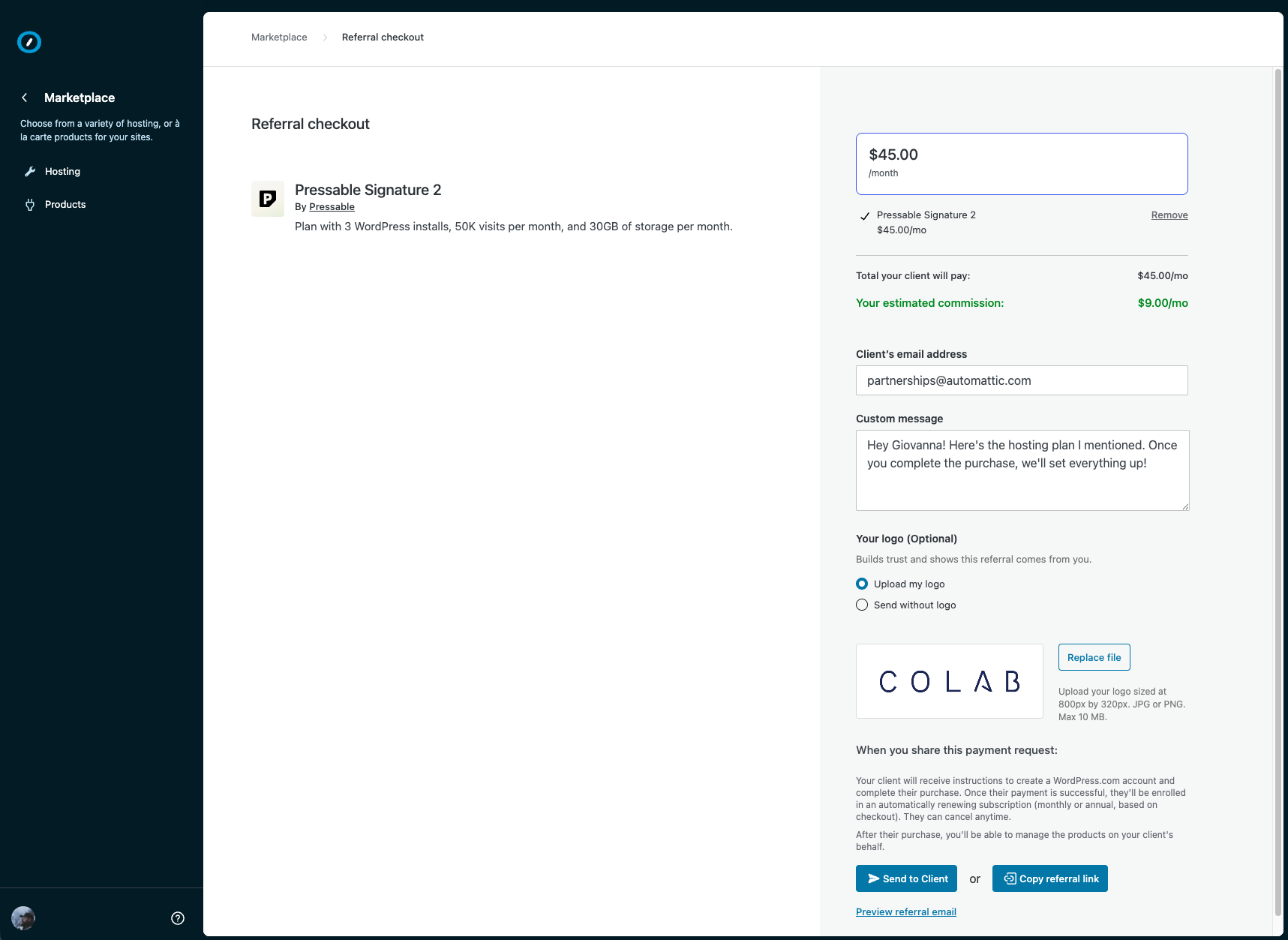
Now, when you send a referral, you can choose to include your agency logo directly in the email invoice your client receives. You can use your previously uploaded Partner Directory logo, upload a separate one just for referrals, or skip a logo entirely. Whatever fits your workflow. And once you’ve set it, we’ll remember it for next time.
Preview before you send
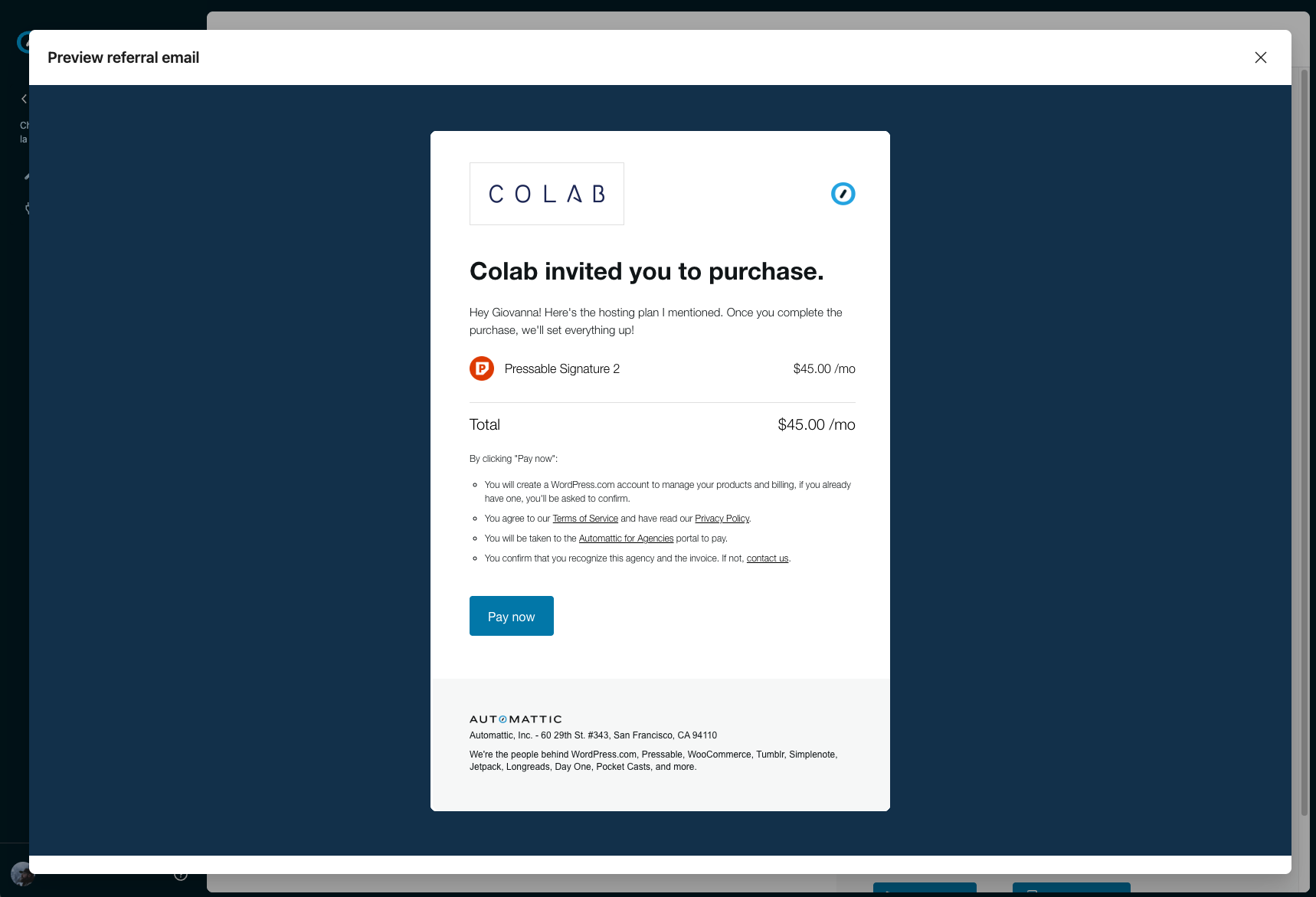
We’ve also refreshed the referral email design itself. Your agency name and logo are now more prominent at the top, and each product in the referral includes its own logo, so clients can immediately see what they’re being recommended and who it’s coming from.
Before you hit send, a new email preview lets you see exactly what your client will see. Same design, same content, no surprises.
Skip the email and share a link instead
The other friction point we heard was actually sending emails entirely. Many agencies have other preferred communication methods where they work with clients in real time, like Slack or WhatsApp. To accommodate this, we built a copy link feature that allows you to copy and send your referral invoice in seconds through any channel you want.
Less steps for clients
Clients who receive a referral link now land directly on a secure checkout, where they can complete their purchase without needing to log in first. If they already have a WordPress.com account, we’ll prompt them to connect it. If they don’t, we handle account creation in the background as part of the purchase. No extra steps required.
Send a referral today
All of these improvements are now live. Head to the Marketplace in your Automattic for Agencies dashboard, enable referral mode, and build your next referral. When you get to checkout, you’ll find the logo options and the new email preview waiting for you.
If you run into anything or have feedback, we’d love to hear it.

 Automattic