


If you’ve been waiting for the right moment to try Telex AI, this is it.
Telex is Automattic’s AI-powered block builder. Describe what you want, and it generates a working WordPress block you can preview, install, and ship. No local dev environment. No scaffolding. No boilerplate. Just a prompt and a result.
On the Automattic Special Projects team, we’ve been using Telex to solve real client problems: podcast RSS feeds, scroll-triggered animations, cover background crossfades, interactive elements. We’ve learned a lot about what works, what doesn’t, and where it fits in an agency workflow.
This isn’t a product review. It’s a field guide. Here are some practical tips to help you use Telex like a pro and ship features to your agency clients faster.
The Core Workflow: 7 Tips for Better Blocks
1. Start with a real need, not a toy
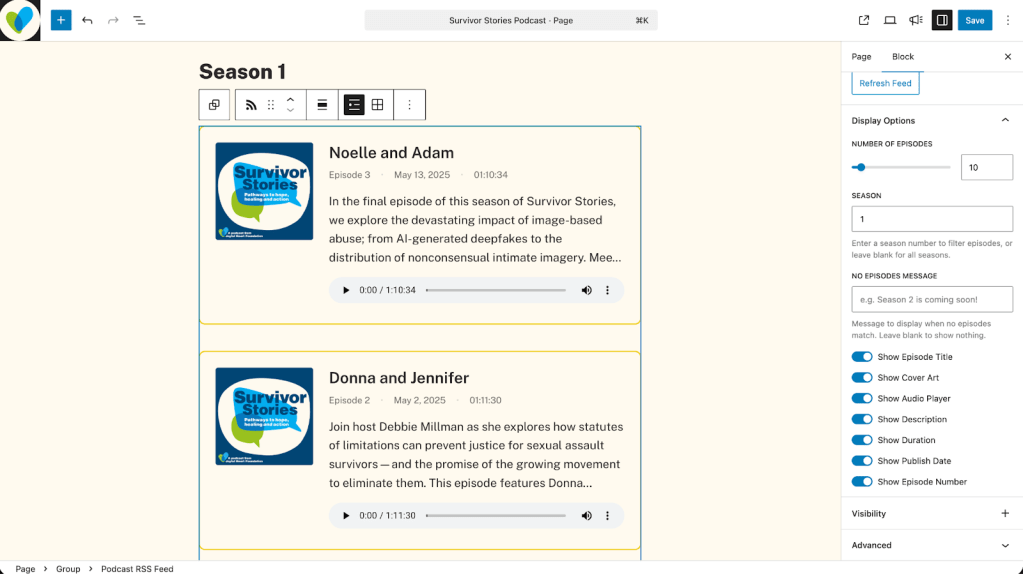
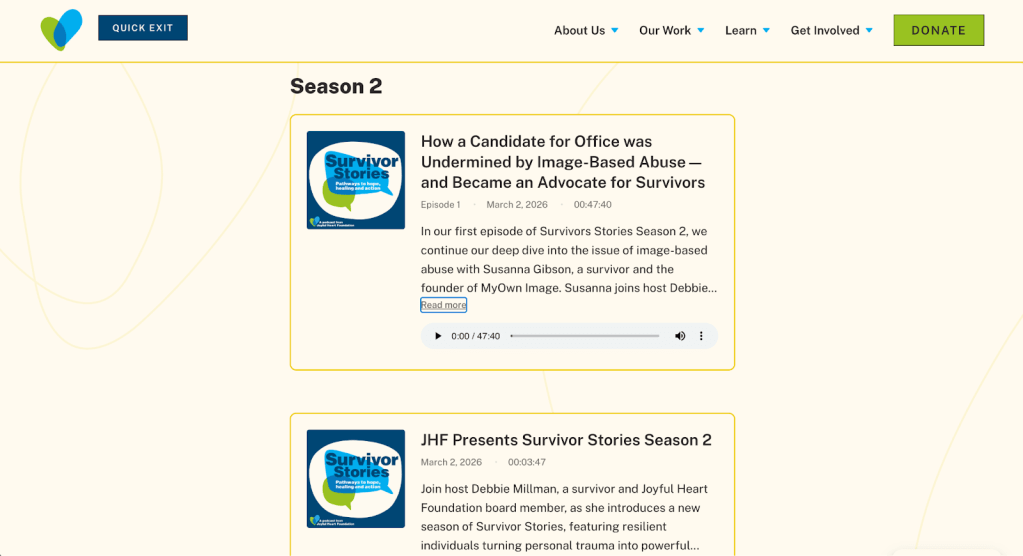
The blocks that work best aren’t experiments. They’re solutions. One of our partners needed a podcast RSS feed block that could pull in episodes and display them with artwork, descriptions, and play links. That’s a specific, scoped problem. We opened Telex, described the need, and had a working block to evaluate within minutes.
When you start from a real use case, you make better decisions about scope, features, and when to stop prompting. Toy projects are fun for learning the tool, but real needs produce blocks you’ll actually ship.
Here’s what that looked like. The screenshots below show the block in action, pulling live episodes from the Joyful Heart Foundation’s Survivor Stories podcast. Want to see it on a real site? Visit the podcast page to see the block live. Want to build your own version? Remix the project in Telex and see how far a single prompt can take you.
2. Use your AI tool of choice to craft the prompt first
This might be the highest-leverage tip on the list. Before you even open Telex, open Claude, ChatGPT, or whatever AI tool you prefer, and use it to write your Telex prompt. Describe what the block should do, how it should look, what settings it needs, and how it should behave on different screen sizes.
The more specific your prompt, the better your first result, and the fewer rounds of back-and-forth you’ll need. Think of it as writing a mini creative brief before handing it to the builder.
3. Use images in your initial prompt
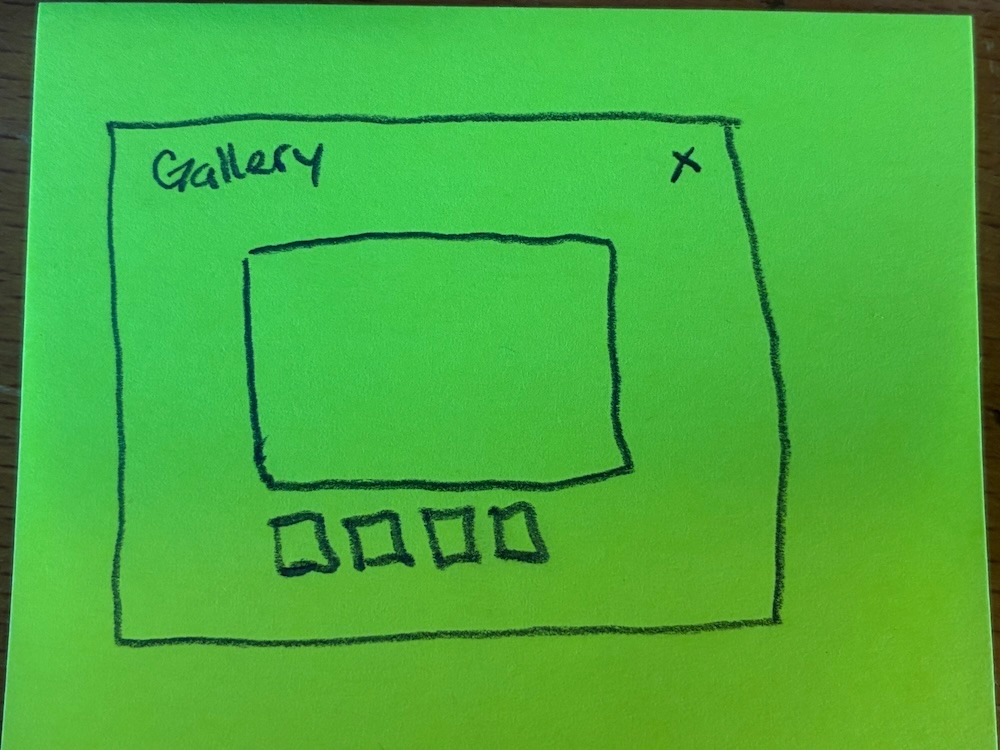
Telex can work from visual references, and you should take advantage of that. Sketch something on a post-it note and snap a photo. Screenshot an existing design you want to match. Mock up a rough layout in Figma.
We’ve started blocks from post-it sketches and gotten surprisingly close results on the first pass. Visual context helps Telex understand layout, hierarchy, and proportion in ways that text descriptions sometimes can’t fully capture.
4. Start simple, then add features one at a time
It’s tempting to describe every feature you want in a single prompt: layout options, color settings, responsive behavior, hover effects, the works. Resist that urge.
Get the core functionality working first. Make sure the block renders correctly, pulls in the right data, and looks reasonable. Then add features one at a time. Typography controls in one prompt, layout toggle in the next, responsive adjustments after that.
When something breaks (and it will), you’ll know exactly what changed. That makes debugging dramatically faster.
5. Be specific about WordPress core conventions
This is where a little WordPress knowledge goes a long way. Telex is building WordPress blocks, but it doesn’t always default to WordPress core patterns. When we asked for typography controls, Telex gave us custom CSS-based settings instead of the standard WordPress core typography support that themes and the editor expect. It worked, but it wasn’t how WordPress blocks should handle type.
The fix was simple: be explicit. “Use WordPress core typography style settings as defined in block.json supports” gets a very different result than “add font size controls.” If you know how WordPress handles something natively (block supports, InspectorControls, Query Loop patterns) name it in your prompt. Include a screenshot of the core behavior you’re targeting. Telex responds well to specificity.
6. Inspect what Telex builds
You don’t need to be a developer to open your browser’s inspector tool, and it’ll make you a dramatically better Telex user.
When we built the RSS block, border styling was targeting the wrong element. Rather than describing the problem in vague terms, we opened the inspector, found the exact CSS class Telex had generated, and told it: “Apply the border to .rss-card, not .rss-container.” Fixed in one prompt.
The pattern is simple: when something doesn’t look right, inspect it, find the element or class, and feed that back into your prompt. You’re giving Telex precise directions instead of hoping it interprets your description correctly.
7. Use remix like branches
Telex has a remix feature that duplicates your project, and it’s the closest thing you have to version control. Use it liberally.
Before adding a new feature, remix your working project. If the new feature breaks things, you still have the clean version to go back to. Think of each remix as a branch, a safe checkpoint you can always return to.
One thing to know: when you remix and rename a project, use the checkbox in the rename dialog to also update the block name and slug. Otherwise the PHP filename retains the old name, which can cause confusion down the line.
Power-User Moves: Level Up Your Workflow
8. Edit the code directly, and use Claude to debug and refine
Telex generates real code, and you can edit it directly. This is where things get interesting for anyone comfortable working alongside AI.
On our team, we regularly take Telex’s generated code and drop it into Claude for debugging, optimization, or feature additions that Telex struggled with. Telex builds the foundation. Claude (or your AI tool of choice) refines it. It’s a workflow that combines Telex’s speed at scaffolding blocks with a coding AI’s precision at polishing them.
You don’t need to be a developer to try this. Even asking Claude “what’s wrong with this code?” and pasting in Telex’s output can unblock you faster than prompting Telex in circles.
A quick escape hatch worth knowing: if you ever hit a critical error loop where the block won’t render and “Fix with AI” can’t recover it, delete the playground state in Telex’s interface. It resets the preview environment without losing your code. It’s not obvious, but it’s saved us hours.
9. Share it with your team, your devs, and even your clients
Telex blocks aren’t locked inside Telex. Every project has a share link that lets anyone remix it, and you can download the block as a plugin zip ready to install on any WordPress site.
For agencies, this opens up real workflows:
- Send the share link to a teammate so they can remix and iterate on their own
- Download the plugin and hand it to a developer to refactor for production
- Send it to a client comfortable enough with WordPress to preview the block on their staging site
- Include the Playground link so anyone can test the block without installing anything
The blocks are portable. Use that.
10. Know when to graduate
Telex is genuinely unbeatable for going from concept to working proof-of-concept. Nothing else gets you there that fast. But some blocks will outgrow it.
When you need proper block.json configuration with full WordPress core supports, native InspectorControls with complex conditional logic, or multi-block architectures with inner blocks and shared state, that’s when you take the code to a developer or to a coding AI like Claude and finish the job properly.
On our team, several blocks have followed this exact path. We built a cover background crossfade block in Telex that gave our developers the concept and the working prototype to build from. Our scroll indicator and parallax blocks followed the same route: built in Telex, validated with stakeholders, then rebuilt with proper architecture for production. The Telex version wasn’t throwaway work. It was the prototype that proved the concept and defined the spec. That’s enormously valuable.
Bonus: Telex Can Build Block Themes Now
This one is brand new. Telex can now generate full block themes, starting with four design directions to choose from before it builds anything.
It’s early, and you’ll want to refine the output. Font sizing, color contrast, query loop structures for blog layouts, these are areas where the tool is still finding its footing. But the upside for agencies is real. Prompt a theme concept, get four distinct design directions, and present those to a client before a single hour of design or dev time is spent.
We’re keeping an eye on this one as it matures, and the early results are encouraging.
What Your Agency Could Build This Week
The real unlock with Telex isn’t any single block. It’s the realization that bespoke, niche blocks that would never justify a full development cycle are now worth building. The kind of blocks that make a client’s site feel custom without blowing the budget.
Think about what your clients are actually asking for:
- A YouTube feed block that pulls in content from your channel and displays it on-brand
- An image trail that follows the cursor on heading text hover for a portfolio or creative agency site
- A newsletter signup popup with custom timing, animation, and styling that matches the brand
- A sitewide counter block that tracks and displays a running number words published across your entire site all-time
- An image or post carousel with swipe support and responsive breakpoints
- A scroll-triggered animation block for landing pages that need movement and energy
- A custom WooCommerce product showcase block that displays products differently than the default grid
- A team directory block that pulls from a custom post type and filters by department
- An event countdown block with custom styling for a product launch or campaign
- A before-and-after image comparison slider for photographers, contractors, or healthcare providers
Every one of these is buildable in Telex right now. Some will ship as-is. Some will need a developer to polish. Some will become the prototype that defines exactly what your team builds next. That’s the flexibility.
Three ways to think about it:
- Ship it as-is. Some blocks come out of Telex production-ready. Simple, scoped, functional. Install the plugin and move on.
- Prototype and hand off. Use Telex to build the proof-of-concept, then send the share link or plugin to a developer to polish for production. Great for PMs and designers who want to communicate exactly what they’re envisioning without writing a lengthy spec.
- Refine it yourself with AI. Take the Telex code, bring it into Claude or your preferred coding tool, and ship a polished version without needing a developer in the loop.
No matter which mode fits your team, the starting point is the same: a real need, a prompt, and a willingness to iterate on what you get back.
Start building at telex.automattic.ai.
This guest post comes from Derek Hanson, a Technical Account Manager at Automattic. Derek’s mission? Helping awesome people do amazing things with WordPress. Want to keep up with Derek? Follow him on LinkedIn.


