


Whether you’re working on a solution for a client or looking to create additional, recurring revenue for your agency, subscription products are an excellent option. They make things easier for customers and clients, generate passive and reliable income, and ultimately streamline processes for everyone involved.
In this post, we’ll take a closer look at the benefits of setting up subscription products, both for yourself and your clients. Then, we’ll show you how to create and sell subscriptions in WooCommerce, along with some helpful add-ons that can enhance the subscription process.
The benefits of subscription products
Whether your clients operate an ecommerce store (merchants), provide professional services, or do something else, offering subscriptions to their end customers can help them smooth operations and create more predictable, recurring revenue.
For your agency, selling subscriptions to clients can stabilize your income while operationalizing services.
Let’s take a look at the benefits of selling subscriptions.
Subscription benefits for clients
Subscription products are a great way for your agency to add value to a client’s website build. Here are just a few benefits:
- They’re a source of recurring revenue. Subscriptions create a predictable income stream and financial stability for merchants.
- They improve the buying experience. Instead of requiring customers to remember to place their order every month, it can show up automatically on their doorstep. Plus, shops can bundle items that are frequently purchased together into one subscription—say, dog treats with a bag of food—to make things simpler for shoppers.
- They simplify inventory management. If an online store sells subscription boxes, they’ll have a better idea of the products they need to order and supply each month. This will help prevent overstocking or shortages.
- They help with staffing. Subscriptions help merchants better predict their staffing needs, especially as they grow. If they have 100 subscriptions going out per month, they can staff accordingly, rather than having to scramble to catch up.
- They lead to a more loyal customer base and higher customer lifetime value. By delivering a consistent high-quality experience, shops have the opportunity to earn loyalty. When one-time customers turn into repeat buyers, average customer lifetime value skyrockets. This means that stores can spend more on customer acquisition and grow more confidently.
Subscription benefits for agencies
Subscriptions can also be positive for your own business. They provide a profitable alternative to more traditional pricing models. Let’s take a closer look at the benefits:
- They streamline your workflow. By automating billing for services like hosting, maintenance, and updates, you can eliminate repetitive administrative tasks and free up resources to focus on growth.
- They help your business scale. Subscriptions help agencies operationalize their services and create processes that can be easily duplicated. You can train your team so that, as you onboard more clients, employees can deliver work that is consistent in quality and in billable hours.
- The opportunity to support clients as they grow. You can offer tiered subscription plans that grow alongside a client’s business. This helps you retain clients, even if they outgrow their current plan.
- The ability to upsell to existing clients. A completed site build doesn’t have to be the end of a relationship. You can offer ongoing site maintenance, SEO services, or hosting packages. Or you could use automated tools like Jetpack to provide speed optimization, backups, and security tools as part of a maintenance agreement.
- They simplify client management and billing. If you offer maintenance and hosting plans, you can give clients access to a self-service dashboard. This allows them to adjust their plans or billing details without your assistance, ultimately saving team members time. Plus, you don’t have to remember to send that invoice every month!
- They create predictability. Subscriptions generate steady, recurring income, allowing for better long-term planning. You’ll be able to allocate staff, tools, and budgets more effectively to meet ongoing client needs.
How to create a subscription product with WooCommerce
Now that you know the benefits of subscription products, let’s take a look at how to sell them in WooCommerce.
1. Choose a subscription plugin
WooCommerce Subscriptions is a premium extension built by the WooCommerce team, and it’s an excellent way to add subscriptions to a store.
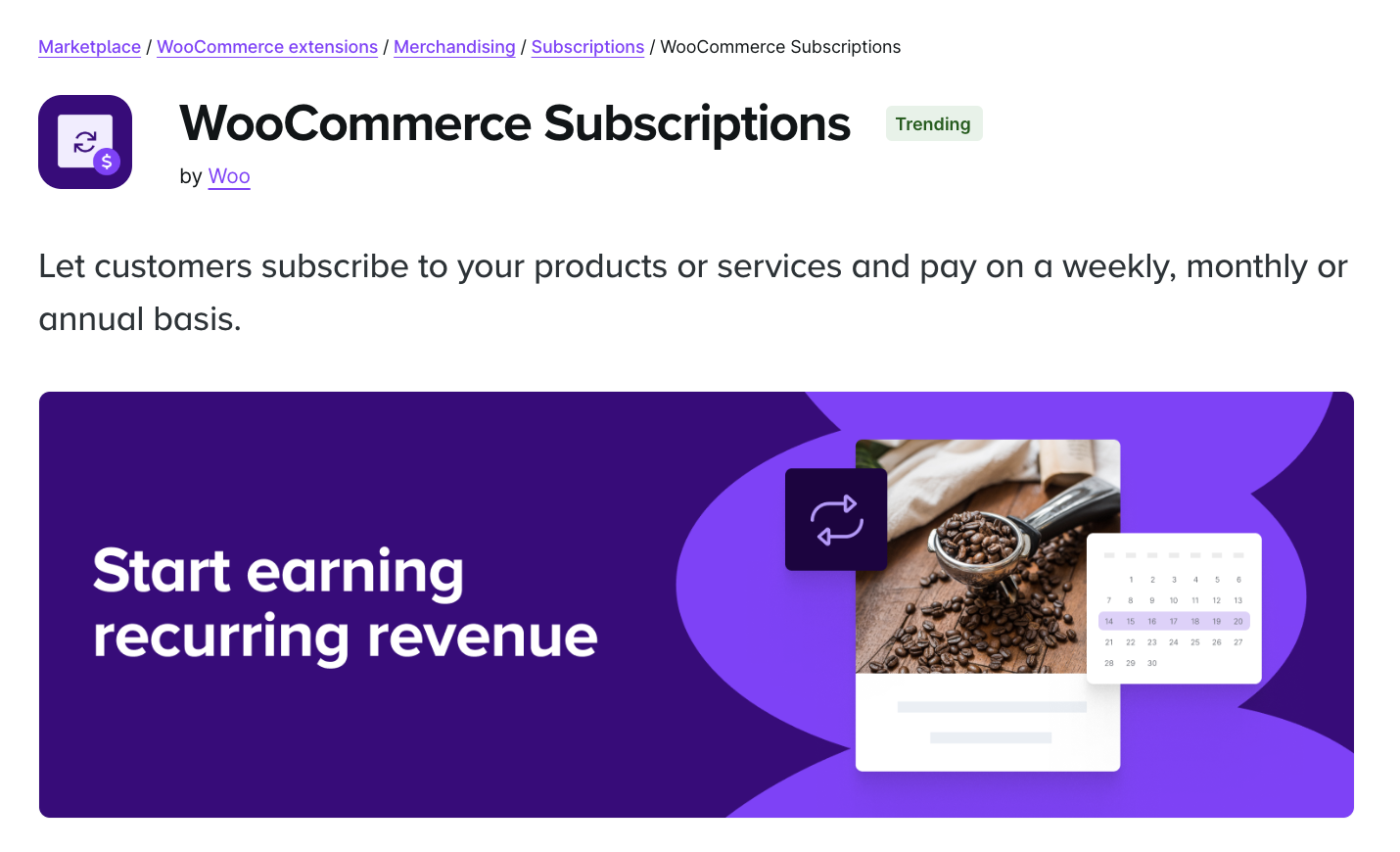
With this tool, you can set up multiple billing schedules, automatically deliver renewal notifications, and let clients manage their own accounts (e.g. upgrade/downgrade their plans).
The extension integrates with more than 25 payment gateways, and you’ll get detailed reports to track revenue and subscribers. It supports variable subscription products, as well as simple subscriptions.
Another option is Subscriptions for WooCommerce, which offers a bit more basic functionality.

With this plugin, you can offer free trials of your subscription-based services, which is ideal for attracting new clients. It also gives you the option to charge an initial signup fee or deposit for subscriptions.
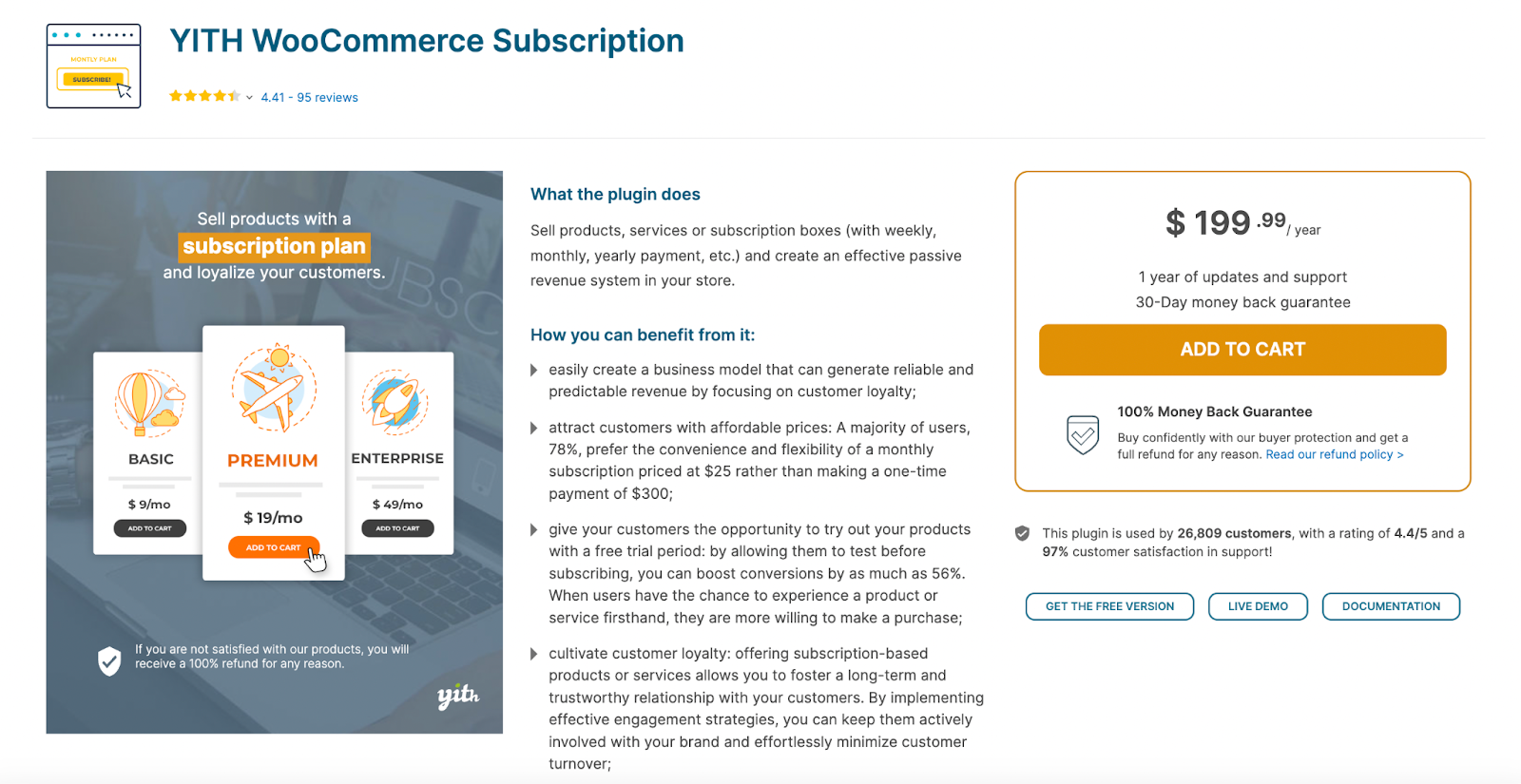
If you’re working on a client site that offers subscription boxes, YITH WooCommerce Subscription is a good option. Customers can choose the items that go in their box. Plus, stores can restrict the type of products that customers can add, specify a maximum quantity per product, and more.
2. Install and set up the extension
Assuming you have WordPress and WooCommerce already set up, you can go ahead and install your subscription extension. This tutorial will use WooCommerce Subscriptions.
First, head to WooCommerce → Extensions in your WordPress dashboard and use the search bar to look for “WooCommerce Subscriptions.”
Click on the first extension that appears (created by Woo). This redirects you to the official WooCommerce website, where you can purchase the extension by choosing a one-year or two-year plan.
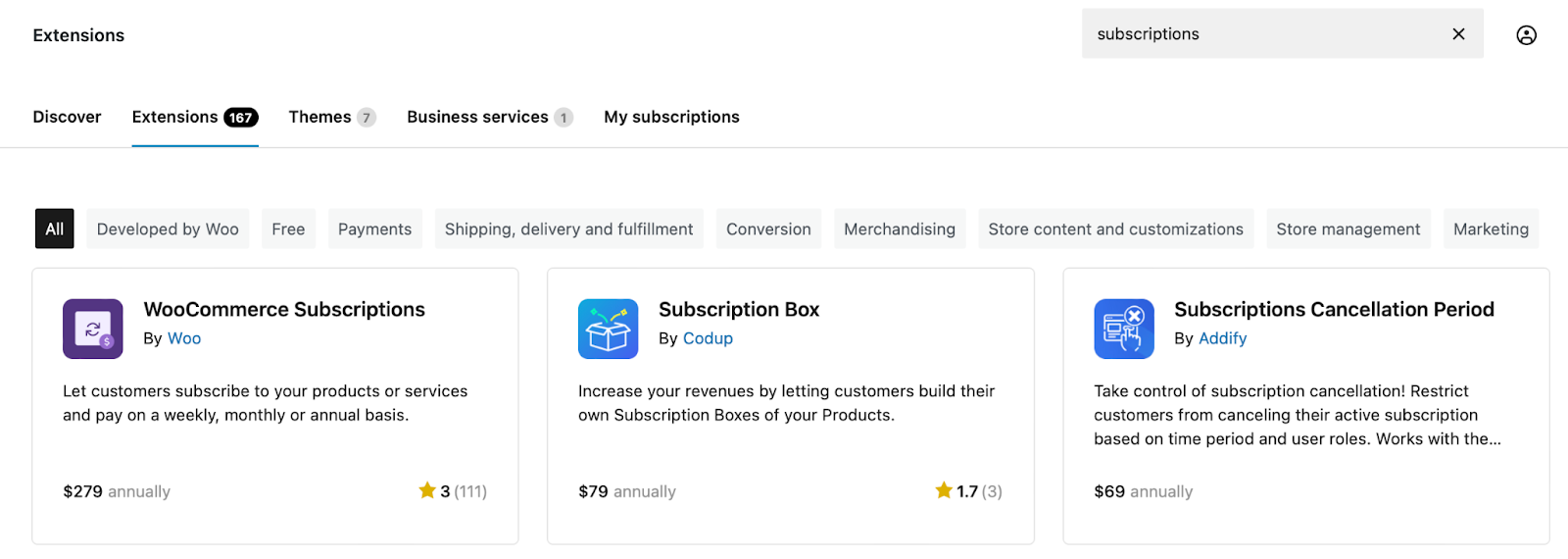
Supply your billing details to complete the order. Once you’ve purchased the extension, you can download it to your computer as a ZIP file.
In the WordPress dashboard, go to Plugins → Add new plugin → Upload plugin, click on Choose file, and upload the ZIP file.
Select Install now, followed by Activate.
Now, head to WooCommerce → Settings → Subscriptions to configure your settings.

Here are some of the things you can do in this section:
- Customize the “Add to Cart” and “Place Order” button text
- Change the default user roles for active and inactive subscribers
- Offer an initial $0 subscription, where the client will supply payment details at a later time
- Enable content dripping, if you have downloadable content
- Configure renewal settings (e.g. accept manual renewals, early renewals, and the ability for clients to enable/disable automatic renewals themselves)
- Allow clients to switch between subscription plans
Once you’re happy with the settings, click on Save changes.
3. Create your products
With this extension, you’ll add subscription products in the same way that you add regular WooCommerce products.
Go to Products → Add new product and fill out the fields as you usually would. You’ll need to add a product name, enter a description, assign it to a product category, etc.
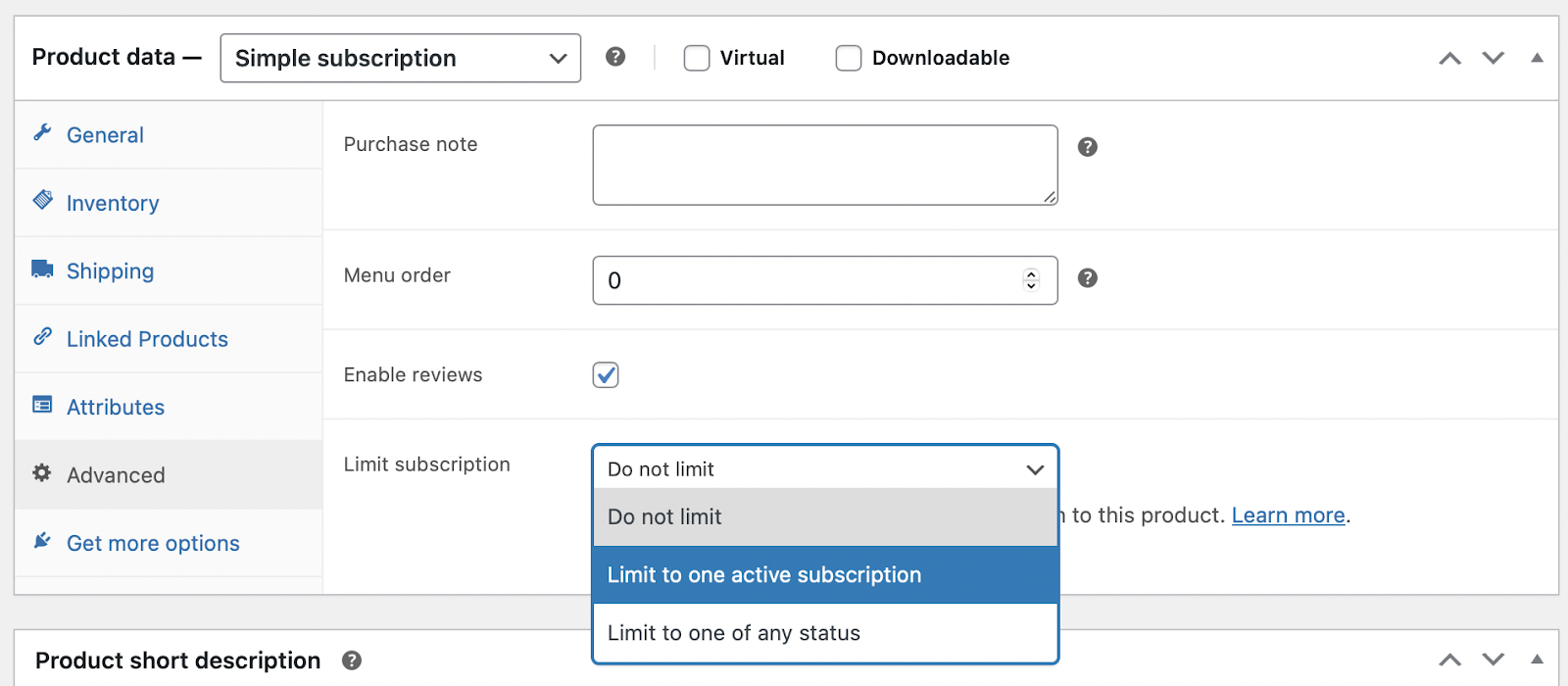
Then, scroll down to the Product data box. You should see two new options in the product dropdown menu: Simple subscription and Variable subscription.

These work the same as simple and variable products. For example, if you offer a similar service at different price points (e.g. three maintenance plans with different features/benefits), choose Variable subscription. Otherwise, stick with simple subscriptions.
Once you’ve made your selection, you should see additional fields appear in the General section.
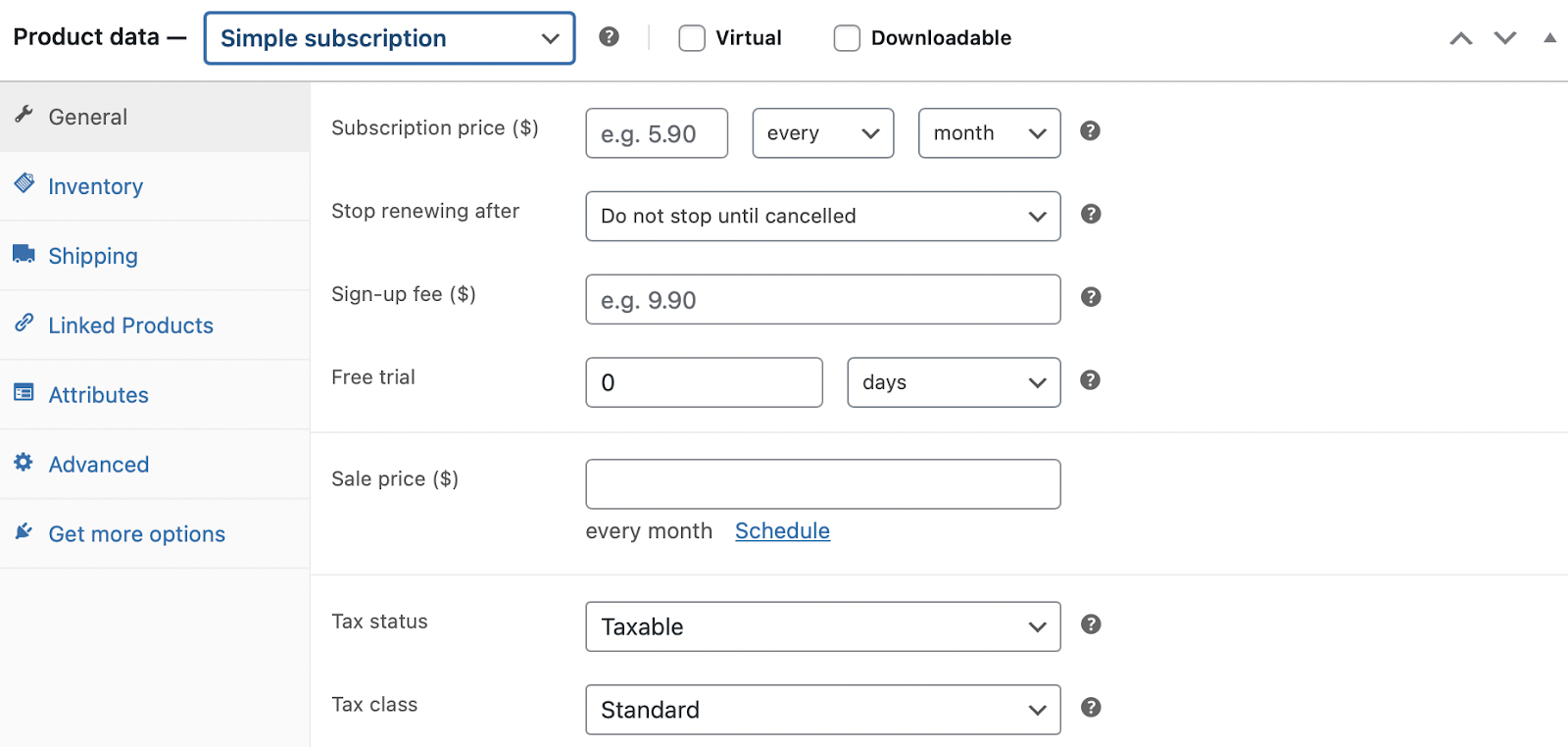
These options enable you to:
- Define a subscription price and duration
- Set a subscription end date
- Charge a separate sign-up fee
- Enable a free trial period
If you’re working on a client site that sells subscription products, you have the option to charge a one-time shipping fee on just the initial order. Agencies can use the same functionality to charge a one-time new client onboarding or setup fee.
In the Advanced tab, you can limit clients to one active subscription if you’d like.
Once you’ve created all your subscription details, you can link to relevant upgrades in the Linked Products section.
How to create variable subscription products
With a variable subscription, your clients can offer choices to their customers, like size and color. Or, as an agency, you could offer three maintenance plans at different price points. Each one might include slightly different features.
To sell variable subscriptions, you’ll need to select the relevant option in the Product data box. Then, you can provide all the product information as usual.
Next, move to the Attributes tab. Follow the same process as you would for creating regular variable products. First, you’ll need to create attributes for your products. This is the element that differs across your plans (e.g. monthly SEO consulting hours).
Give the attribute a name (e.g. Time) and add your values separated by | (e.g. 4 hours | 12 hours | 20+ hours).
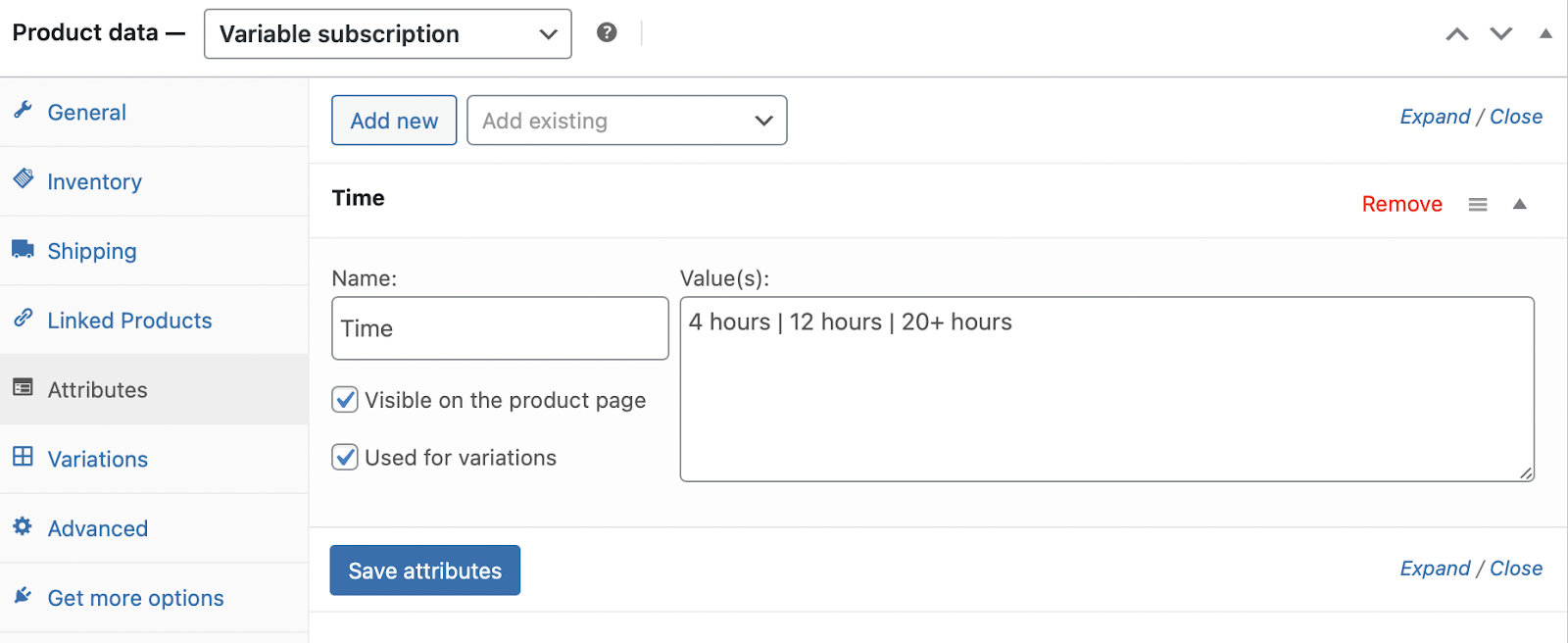
Check the Used for variations box and click on Save attributes.
Now, switch to the Variations tab. Here, you can generate variations based on the attributes you’ve just added. This will create a new variation for each possible combination of variables.
You can also add them manually. Just click on the Add manually button and use the dropdown menu to select each value.
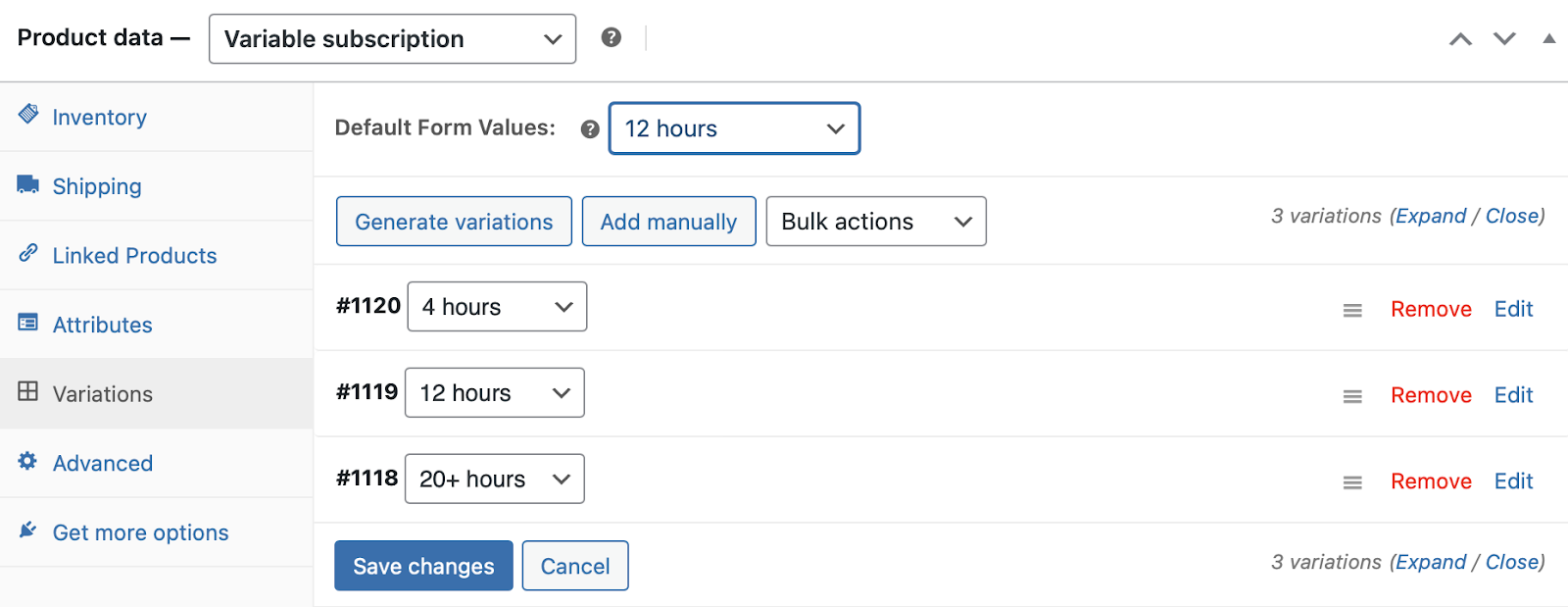
You can select a default form value, which will be pre-selected when a client clicks on your subscription product.
Expand each variation to add product details like pricing and images. If your subscriptions share many of the same details, you can use the Bulk actions dropdown to edit them in bulk.

Once you’ve configured each variation, click Save changes, then Publish. This will add the subscription (and its variations) to your website.
4. Add any extra features
As you can see, WooCommerce Subscriptions gives you a lot of options, but there are extensions that add extra features. Let’s take a look at some additional tools that you can use on your agency website or client sites:
- All Products for WooCommerce Subscriptions. This extension allows you to turn any existing product into a subscription product, so customers can choose between a one-time order and subscription. This is a great option for client websites that want to offer recurring shipments of the products customers are already purchasing.
- Self-service Dashboard for WooCommerce Subscriptions. If you want your clients to manage their own subscriptions, this is the extension you need. Using a simple dashboard, clients can change their payment date and subscription frequency, pause their service, upgrade their plan, and more.
- Prepaid for WooCommerce Subscriptions. This gives customers or clients the option to pay for a subscription upfront, potentially for a discount. For example, a candle shop might have a customer who wants to pay for a monthly candle subscription for a year upfront in exchange for a 10% discount. This gives the store an even better picture of their yearly revenue. Or your client may want to pre-pay for their next year of services for accounting purposes.
- Advanced Donation for WooCommerce. With this extension, you can offer the ability for customers to donate recurring payments on a daily, weekly, monthly, or annual basis. If your client is a nonprofit, this would be a great option.
- Product Add-Ons for WooCommerce. This lets shoppers add extras to their subscriptions. A candle subscription box might have an option to include a matchbox in each delivery. Or an agency might offer add-ons like access to an online library of tutorial videos or an extra bundle of hourly work.
How Automattic for Agencies further enhances the client management experience
With subscriptions, you’ll have a recurring revenue stream that offers financial stability and saves you time normally spent on invoicing, billing, and selling. Parlaying one-time website development projects into healthy, retainer-based client relationships is key to building a successful agency (and one that’s sellable).
Another key? Making the most of every dollar generated and every hour of employee time. Thriving WordPress organizations are doing exactly that with Automattic for Agencies.
As an Automattic partner, you’ll benefit from discounts on numerous Woo extensions and Jetpack’s many growth, security, and performance products. You’ll also get a discount when you purchase WordPress.com or Pressable hosting.
This equates to an immediate increase in profit margins, while providing clients with the best tools in the industry.
But not every agency relationship looks the same, and sometimes clients want to manage their own accounts with their own payment methods. Automattic for Agencies has this covered, too.
When you refer Automattic products and services to your clients, you can get up to 50 percent commission on their purchases. You can even tailor the referral order to each client’s needs, with a choice of more than 60 products. You’ll never again have to worry about sending off a client to purchase the wrong extension or hosting plan.

So, if you’re working on a client website that requires subscription functionality, you can browse the Automattic for Agencies marketplace and purchase the necessary extensions. Or, you can build a cart with products like WooCommerce Subscriptions or Gifting for Subscriptions, and send it to the client to purchase.
You might also recommend Jetpack Security to protect their store or Jetpack Boost to improve performance.
Automattic for Agencies also helps you streamline client management. You’ll have access to an intuitive dashboard where you can manage all of your clients’ websites and licenses from one place. Join Automattic for Agencies today (it’s free!).

 Automattic