


We’re excited to introduce a brand new feature to help highlight your value to your clients without adding hours to your workflow. Client Reports (BETA) is now available in your Automattic for Agencies dashboard!
This new feature simplifies the reporting process, giving you a quick way to send professional updates on the metrics your clients care about most.
Strong, ongoing client relationships are the foundation of agency growth. It’s now easier to demonstrate the value of your work—so you can build trust and keep clients engaged.
Let’s take a closer look at the Client Reports BETA feature.
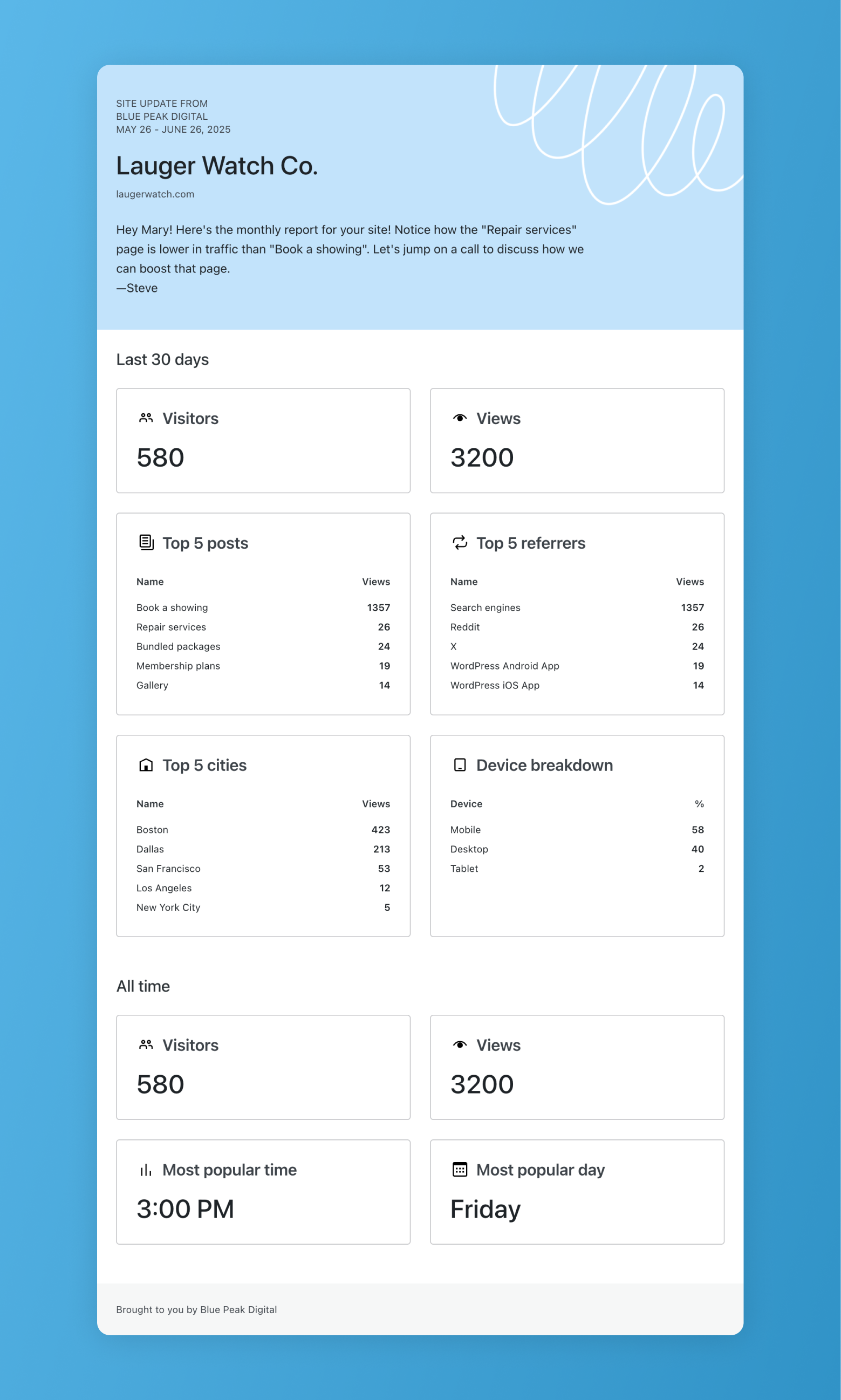
The Benefits of Client Reports
Clear communication is key to any successful partnership. Clients want to know their online assets are in good hands, and nothing builds confidence like a fact-based, professional status report.
Traditionally, creating reports meant logging into each site or analytics account, gathering data from various sources, assembling it in yet another third-party tool, exporting, and emailing it to clients—repeating this process for every single customer. It’s time-consuming and challenging to scale. It’s also prone to all kinds of errors.
Automattic for Agencies Client Reports change that. With just a few clicks, you can:
- Tailor reports to each client: Select exactly which stats to include, based on client goals and priorities
- Streamline your workflow: Go from layout to delivery in one tool—no exporting or third-party apps needed. Mobile-optimized reports are created automatically
- Showcase your agency’s impact: Send polished updates that clearly demonstrate the value of your work
- Build stronger relationships: Keep clients in the loop with regular, transparent communication
Agencies hosting client sites on WordPress.com or Pressable can start creating reports right away—just verify that your sites are launched (not in development mode on WordPress.com) or connected via the Jetpack plugin if you host on Pressable.
Client Reports Walkthrough
Our goal is to make every tool intuitive and easy to use, and Client Reports is no exception. The feature includes three key components: Reports Overview, Report Builder, and Reports Dashboard.
Reports Overview
To get started, log in to your Agency Dashboard and select Reports (BETA) from the left-hand menu to access the Overview page.
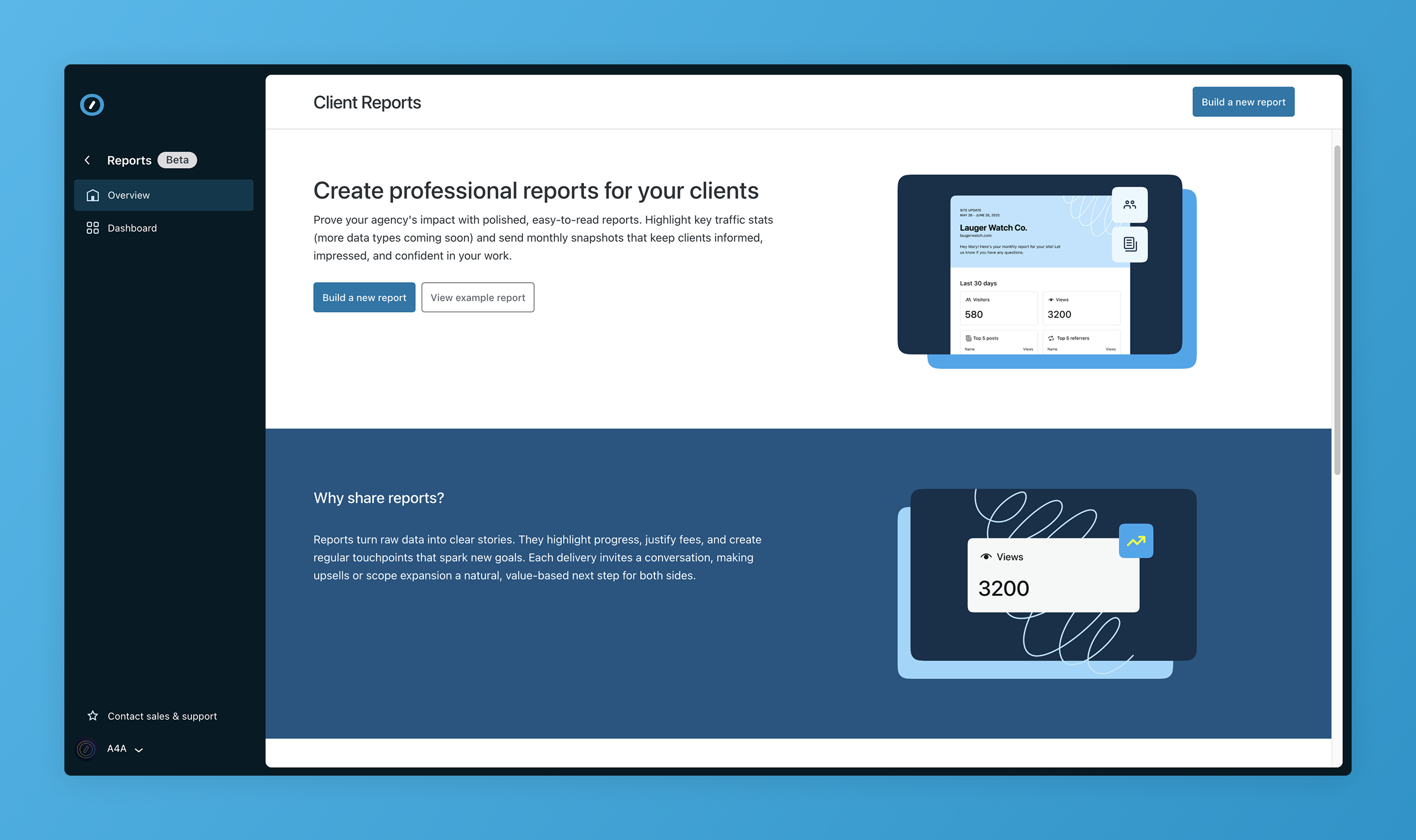
Here, you can learn more about how this new feature works, view an example report for inspiration, or start building your own using the Report Builder.
Report Builder
The Report Builder is where the magic happens. Creating a report is quick and straightforward, with a simple three-step form that takes two minutes or less to complete.
Step 1: Enter Report Details

- Click Build a New Report
- Use the Choose a site to report on dropdown to select one of your connected client sites. Don’t see the website you need? You may need to connect it to your dashboard
- Select the date range for the report (up to a maximum of 6 months)
- To display accurate stats, your website must be live (WordPress.com) and connected via Jetpack (Pressable) for the duration of your request. For example, you can’t generate six months of data for a site that’s only been live for a week.
- Enter your client’s email address
- (Optional) Add your team members’ emails to keep them in the loop
Step 2: Choose Report Content
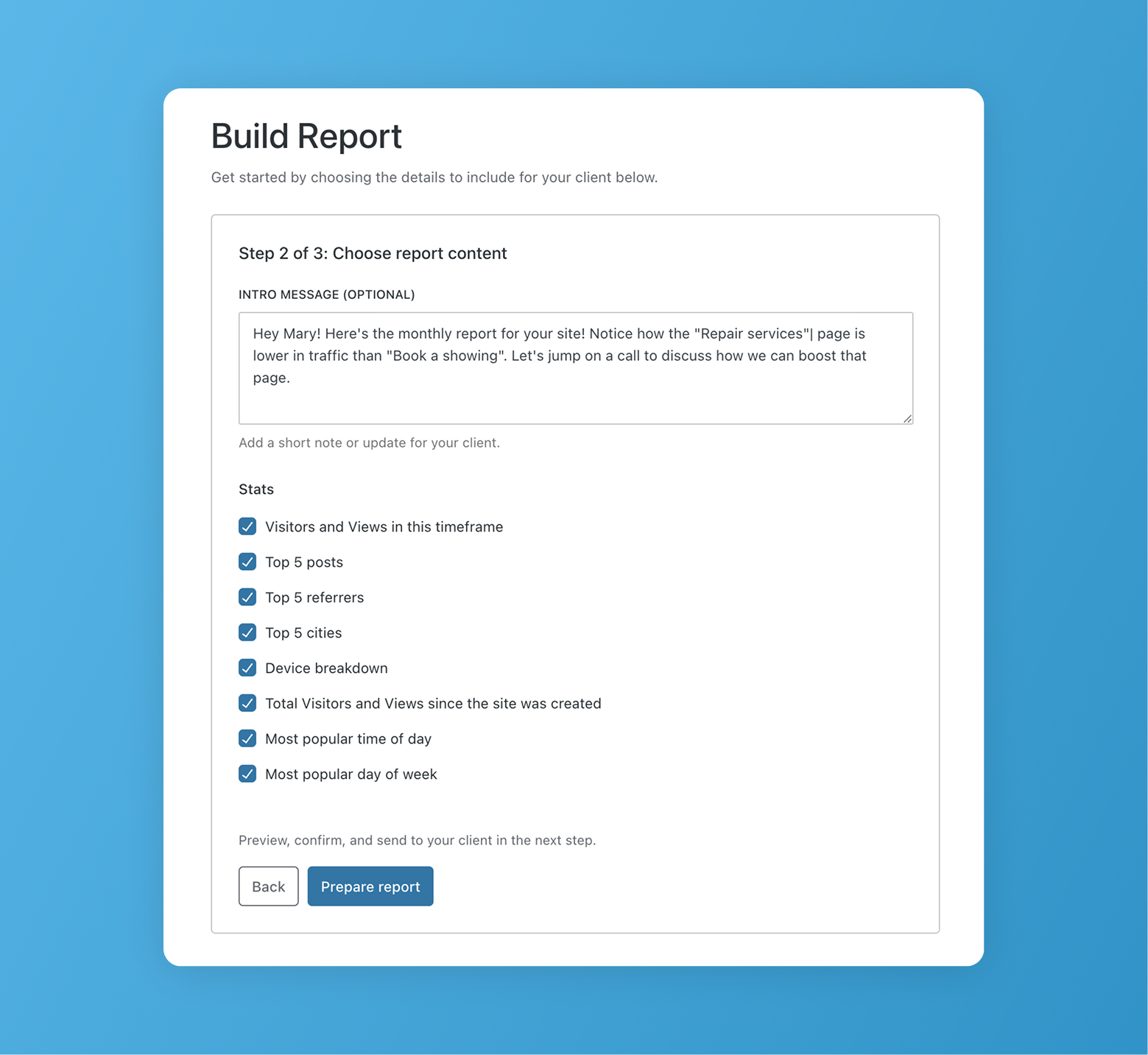
This is where you can truly customize reports based on your client’s needs and priorities.
Agencies love these stats because they reveal real audience insights. For instance, if clients see that their site is popular in a specific city, they can tailor ad campaigns or promotions to target that region more effectively.
- (Optional) Add a custom intro message for your client
- Select the key stats you want to include:
- Visitors and views in the timeframe
- Top 5 posts
- Top 5 referrers
- Top 5 cities
- Device breakdown
- Total Visitors and Views since the site was created
- Most popular time of day
- Most popular day of week
Step 3: Send Your Report

- (Optional) Click Send me a preview to get a test version of the report in your inbox, so you know how it will appear for your client
- When you’re ready, click Send to Client Now to instantly deliver the report via email
That’s it! No switching between tools or juggling email attachments. Just choose the site, pick your data, and hit send.
Reports Dashboard
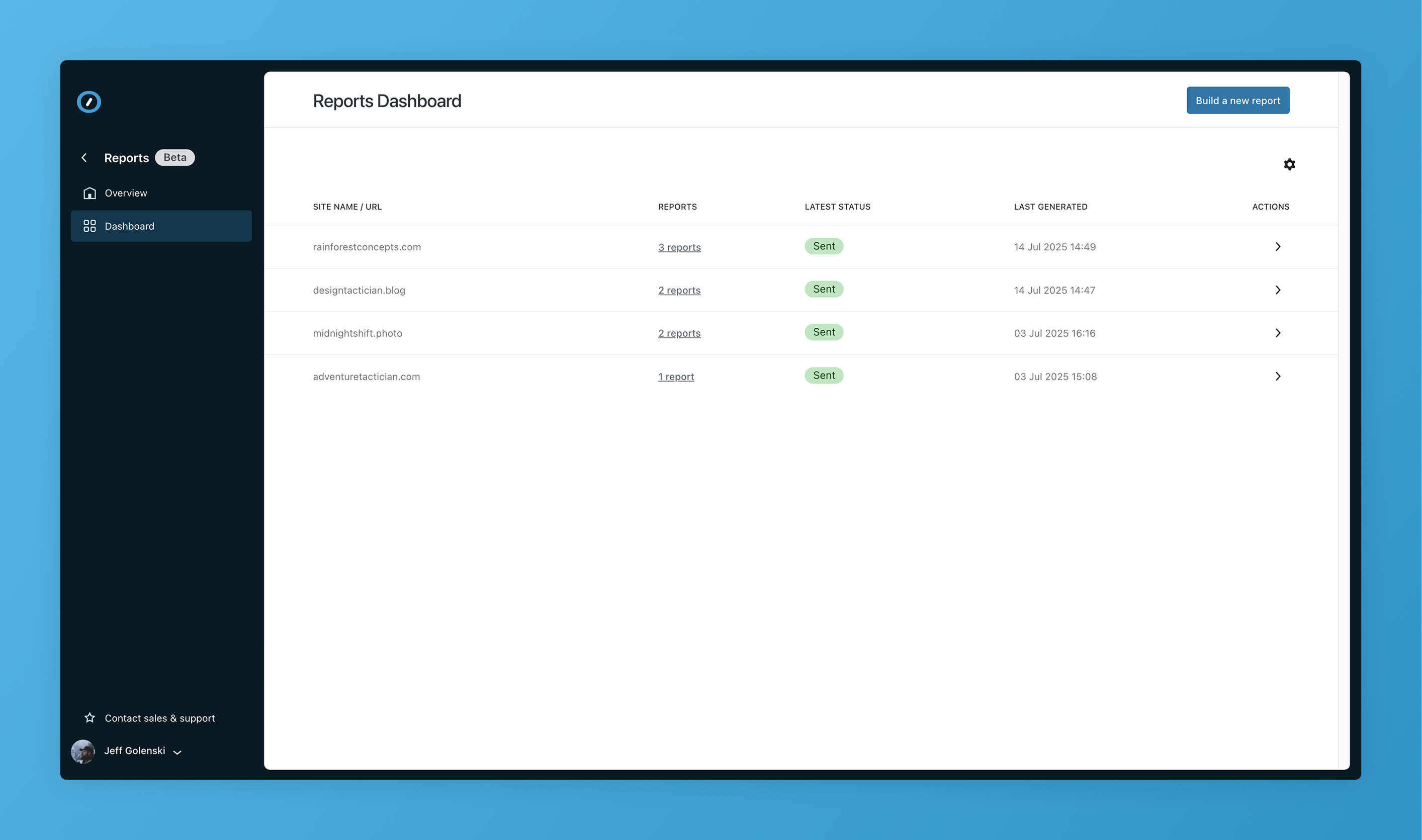
After sending a report, you’ll find it in the Reports Dashboard, a consolidated view of all your reports grouped by client site. This view makes it easy to keep track of sent reports from one place.
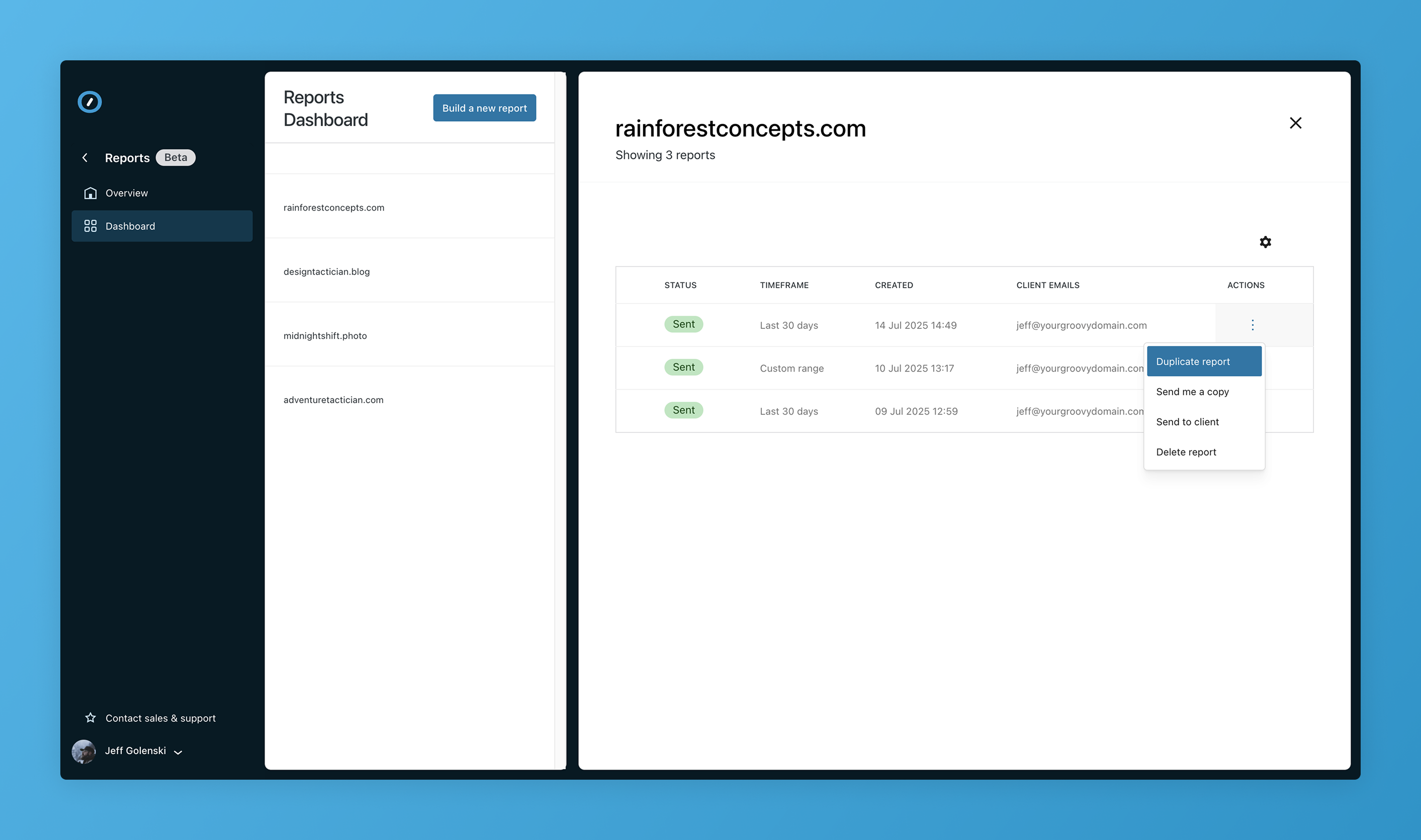
Want to send the same format again? Select Duplicate report to reuse your layout, message, or data set as the foundation. You’ll then have the ability to make modifications before you send.
You can also resend a report or start a new one without leaving the dashboard. This is a huge time-saver for recurring updates, regular check-ins, or if your client accidentally deleted the initial report!
Help Shape What’s Next
This is just the beginning of the Client Reports. Our team is actively building new functionality and data options to improve the reporting experience, and your feedback will help determine where we go next. From new data options to expanded customization features, we’re building this tool to serve the real needs of agencies like yours.
After you complete and send your first report, you’ll have the option to complete a feedback survey. Don’t be shy—every suggestion helps us refine the experience and build a reporting solution that empowers your agency to deliver even more value, with less effort.

 Automattic